AI Voice Generation for Verified Q&A Sessions

Your students want answers fast, and they want to hear them in a human voice. Verified Q&A, powered by modern AI voice generation, lets you scale office hours without opening the door to spam or bots. In this guide, you will learn the best tools and a practical blueprint to run trustworthy, voice‑based Q&A for your course or community, with a simple verification step in front to keep the session clean and your data safe.

Why verified voice Q&A now
Creators are juggling cohorts across time zones, new modules, and constant learner questions. Text replies do not always cut through, especially for complex topics where tone and emphasis matter. AI voice generation solves the scale problem, but only if you can trust who is asking and how often. A light verification step before each Q&A submission protects your session from bots, reduces noise, and preserves the learner experience.
For course creators, this unlocks three high‑impact formats:
- Live voice office hours with AI co‑hosts that read concise answers while you moderate the queue.
- Asynchronous “micro‑podcasts” where verified students submit questions and receive high‑quality audio answers within minutes.
- Multi‑language support, where the same verified answer is rendered in multiple voices and languages for accessibility.
What “verified Q&A” means in practice
Verification is not a heavy identity check. It is a brief step that confirms the user is human, authenticated, and allowed to ask a question before you generate or stream any audio. On this site, Bot Verification offers exactly that, a simple verification step that confirms users are not robots, plus the essentials of user authentication and access control. You can gate your Q&A intake with this step, then hand off to your answer and voice stack.
Buying criteria for AI voice generation in Q&A settings
When your answers are short and frequent, the voice engine must be responsive, consistent, and licensed for your use. Prioritise the following:
- Real‑time or low‑latency streaming, so learners do not wait for long audio renders.
- Clean, natural prosody and pronunciation controls, ideally with SSML style tags or equivalent parameters.
- Reliable multi‑language coverage with consistent timbre across languages if you localise content.
- Custom voices with clear consent and watermarking options if you imitate a brand voice.
- Education‑friendly licensing, straightforward commercial use, and export rights.
- Easy integration via WebSocket or SDKs for the web and mobile players you already use.
The best AI voice generation tools for verified Q&A
Below is a use‑case focused review. These are not generic marketing descriptions, they reflect what matters when you are answering lots of short questions behind a verification gate.
ElevenLabs
A top option for live or rapid replies thanks to a real‑time API and highly natural prosody. Voice cloning and voice design are strong, which makes it well suited for branded office‑hours voices. Controls for stability and clarity help you keep answers punchy and consistent. Best for: live Q&A co‑host, rapid micro‑podcasts, multilingual cohorts.
Play.ht
Known for natural neural voices and real‑time streaming that performs well on the web. SSML support and a large catalogue make it easy to match tone to topic, from calm instructional to energetic recap. Best for: live reading of short answers, multi‑language variants, in‑browser listeners.
Microsoft Azure Neural TTS
Enterprise‑grade speech with robust SSML, styles, and custom neural voices through the Speech service. Strong option when governance, regions, and scale matter. Best for: institutions with Azure already in the stack, strict compliance, multi‑region delivery.
Amazon Polly
Cost‑effective neural voices with SSML and lexicons for pronunciation. While not as expressive as boutique providers, Polly is dependable and easy to automate at scale. Best for: budget‑sensitive asynchronous Q&A, server‑side rendering with CDN caching.
Resemble AI
High‑quality voices with real‑time streaming and customisation options, often used in creative and interactive contexts. Consider it when you want more expressive or characterful delivery with consented custom voices. Best for: branded voices, interactive sessions.
WellSaid Labs
Studio‑grade output with a focus on consistent, professional narration. Typically asynchronous rather than real‑time, which suits scheduled Q&A roundups. Best for: weekly curated answer packs, polished lesson add‑ons, enterprise usage.
Murf.ai
A strong production studio for non‑technical teams. Not primarily a real‑time engine, so it shines when you are preparing batches of answers rather than streaming live. Best for: asynchronous Q&A, content libraries, teams wanting a simple UI over APIs.
Quick comparison for verified Q&A
| Platform | Real‑time streaming | Custom voice | SSML or style controls | Licence fit for education | Ideal Q&A use | Notes |
|---|---|---|---|---|---|---|
| ElevenLabs | Yes | Yes | Parameter and style controls | Commonly used by creators and teams | Live answers, rapid micro‑podcasts | Very natural prosody |
| Play.ht | Yes | Yes | SSML supported | Widely used across education and media | Live and asynchronous | Large voice library |
| Azure Neural TTS | Yes | Yes, custom neural | Full SSML | Strong enterprise compliance options | Institutional deployments | Deep SDK ecosystem |
| Amazon Polly | Yes | Limited custom, lexicons | SSML | Budget friendly | High‑volume async | Easy to cache on a CDN |
| Resemble AI | Yes | Yes | Style controls | Creator and enterprise friendly | Branded voices, interactive | Focus on consent for custom voices |
| WellSaid Labs | Typically no, async | Yes | SSML | Enterprise oriented | Curated weekly answers | Studio‑grade tone |
| Murf.ai | Typically no, async | Yes | SSML | Creator friendly | Batch answer packs | Simple production workflow |
Notes reflect typical product usage patterns. Always confirm current capabilities with the vendor.
Implementation blueprint, from verification to voice
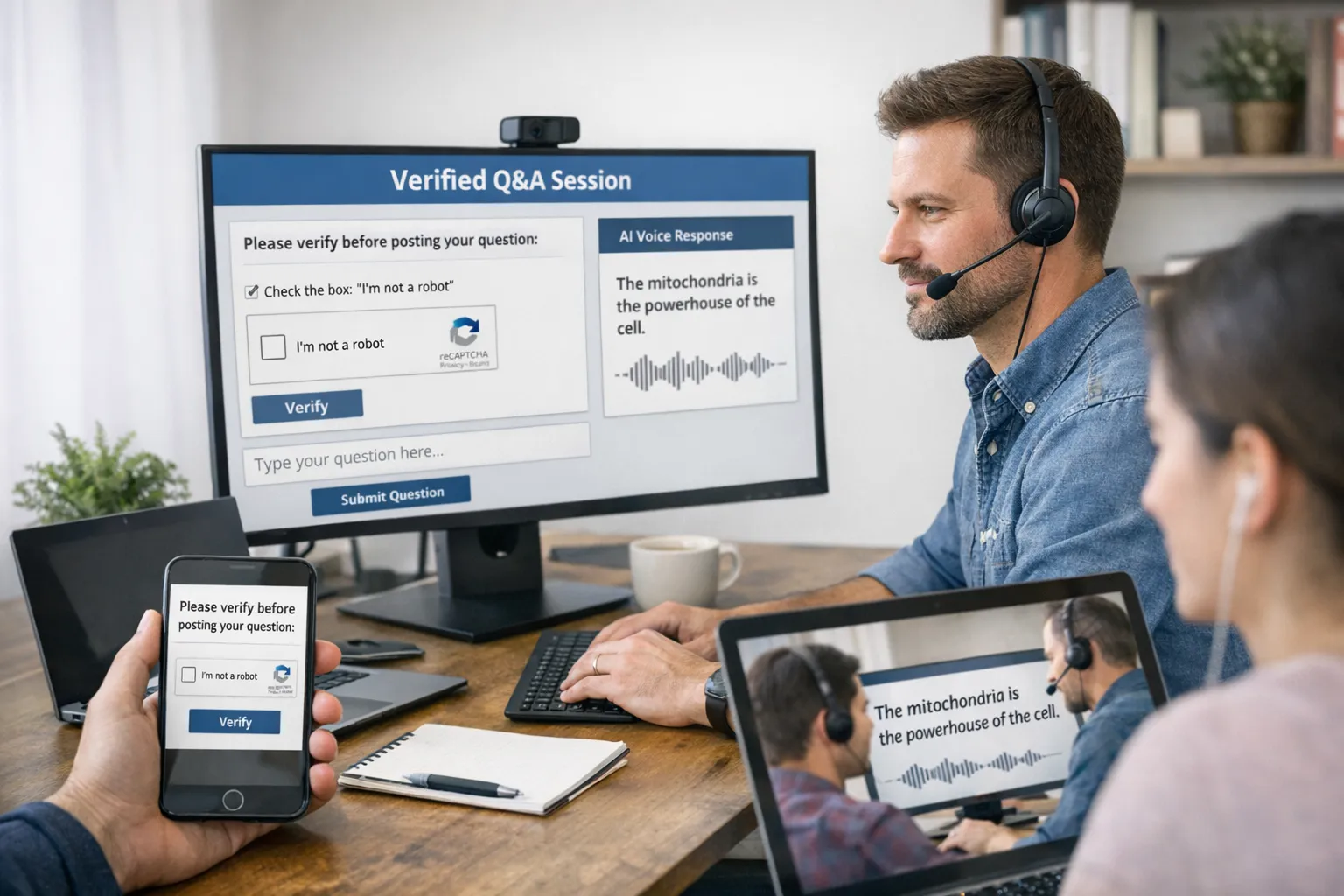
- Put verification in front of your Q&A intake. Add a simple human verification step before your form or chatbot to block automated submissions. This keeps your answer stack fast and your moderators focused on real learners.
- Authenticate the learner session. Use your LMS or community login to attach a user ID and course context to each verified question.
- Ground the answer. Run the question through your knowledge base or lesson materials to produce a short, factual response text. Keep it under 120 words to fit a 45 to 60 second audio target.
- Render the voice. For live office hours, use a streaming TTS API so playback begins almost immediately. For asynchronous answers, render server‑side and cache on a CDN.
- Deliver and track. Embed a lightweight audio player in the Q&A page, attach a transcript for accessibility, and log listen‑through, skips, and follow‑up questions.
- Moderate and escalate. Route uncertain or sensitive questions to a human. Mark the audio as AI‑generated where appropriate, and give learners a button to request a human clarification.
Practical quality tips for voice answers
- Write for the ear, not the page. Short sentences, one idea per line, and signpost transitions. Example, “Here are the three steps. First, enable verification. Second, choose your TTS. Third, publish and test.”
- Keep answers tight. Aim for 30 to 60 seconds, with a clear call to action at the end if the learner should try something.
- Use SSML sparingly. A brief pause or emphasis often beats heavy prosody markup. Over‑scripting can sound robotic.
- Always publish a transcript. Helps accessibility, search, and quick scanning. It also becomes a knowledge base entry for future cohorts.
- Label the source. If the voice is AI and the content is grounded in your materials, say so. Trust grows when you are transparent.
Security, privacy, and fairness
- Verification first. Protect your Q&A endpoint with a quick human check. It reduces spam and keeps resource usage predictable.
- Data minimisation. Send only the text needed to render the audio. Avoid passing personal data into TTS where you do not need it.
- Consent for custom voices. If you use a voice clone, obtain explicit, documented consent and follow the vendor’s safeguards.
- Accessibility by default. Provide transcripts and volume‑normalised output for consistent listening across devices.
A seven‑day pilot you can actually run
- Day 1, map your Q&A flow. Choose live streaming or asynchronous answers and define your verification touchpoint.
- Day 2, integrate verification in front of your intake form or chatbot. Test on desktop and mobile.
- Day 3, pick one TTS engine from the table and connect a basic API call that returns MP3 or streams audio.
- Day 4, ship one lesson’s Q&A. Collect 10 real questions from verified learners and answer them in voice and text.
- Day 5, add transcripts and a simple audio player with speed controls.
- Day 6, measure. Track submission to playback time, listen‑through rate, and follow‑up question quality.
- Day 7, iterate. Tweak your script style, adjust voice settings, and decide whether to add a second language.
Example architectures to consider
- Live co‑host: Verified intake in chat, knowledge‑grounded text answer, streaming TTS start, instructor monitors and interjects when nuance is needed.
- Asynchronous micro‑podcast: Verified form intake, batch text answers nightly, render to audio, publish a playlist per module with transcripts.
- Language‑switch replay: Verified intake, render three language variants, present language toggles in the same player so students can compare phrasing.
Training your team to run the workflow
If you plan to formalise this capability inside your organisation, structured training helps. For broader skills development across project management, data, and digital content, consider professional upskilling programmes with live mentors that align learning paths to on‑the‑job outcomes. A good example is the LinkedIn Learning aligned offer described here, which provides coached routes and recognised certifications for teams, see the overview of professional upskilling programmes with live mentors.
How this ties back to Bot Verification
AI voice can delight learners, but only if your Q&A stays clean. Put Bot Verification’s simple human check in front of your intake, use your existing authentication to confirm who is asking, and control access to voice features for enrolled students. That way you preserve the benefits of AI voice generation and avoid the hidden costs of spam, scraping, and misuse.
Key takeaways
- Add a human verification step before Q&A submissions to block bots without adding friction for real students.
- Choose a voice engine based on streaming needs, language coverage, licensing, and ease of integration, not just demo quality.
- Keep answers short, transparent, and accessible, with transcripts and moderation paths.
- Pilot in a week, measure listen‑through and time to audio, then iterate on voice settings and script style.
When you combine verification, grounded answers, and a consistent voice, you deliver a premium Q&A experience that scales with your course, not with your stress.