
AI for Content Creation That Respects Member Privacy

Course creators are adopting AI for content creation because it cuts drafting time dramatically. But there’s a catch: the moment you paste member messages, support transcripts, learner analytics, or community posts into an AI tool, you may be exporting personal data into a system you do not fully control.
If you run a paid community or membership site, privacy is not just a legal checkbox, it’s part of your product. Members share questions, challenges, sometimes health or career details, and they do it because they trust you.
This review-style guide explains how to use AI for content creation while respecting member privacy, plus a practical look at how verification and access control tools (including Bot Verification) reduce the risk of scraping and automated abuse.
What “member privacy” means in a creator business
Most creators think of privacy as “don’t leak email addresses.” In practice, member privacy includes anything that can identify a learner directly or indirectly, and anything sensitive they share inside your gated environment.
Here’s a useful way to think about it when designing an AI workflow.
| Data type in your course business | Examples | Privacy risk level | Safe approach for AI workflows |
|---|---|---|---|
| Direct identifiers | Email, phone, billing name, address | High | Do not paste into prompts. Keep in your CRM/payment tools only. |
| Account and access data | Login events, IP logs, device history | High | Limit access to admins only. Avoid using this data in generic AI tools. |
| Community and support text | Forum posts, DMs, support tickets | Medium to High | Summarise locally, redact, or use synthetic examples. Get consent where needed. |
| Learning progress and outcomes | Quiz results, completion %, feedback forms | Medium | Aggregate first (counts, averages). Remove identifiers before analysis. |
| Public marketing content | Blog drafts, landing pages, scripts | Low | Generally safe, but avoid inserting internal member stories. |
In the UK, these decisions sit under UK GDPR principles like data minimisation, purpose limitation, and security. The ICO’s guidance on UK GDPR is a strong baseline for creators who want to formalise their approach.
Where privacy typically breaks when using AI for content creation
Most privacy failures are not hacks. They are “helpful” shortcuts.
Common creator scenarios that introduce unnecessary exposure:
- Turning real member questions into lesson copy by copying full posts (including names, niche details, employer names, screenshots).
- Asking an AI to “analyse why members are churning” and pasting raw cancellations, emails, or exit surveys.
- Uploading support exports to get a “top 20 pain points” report, without filtering out personal data.
- Generating case studies based on identifiable member journeys.
- Creating marketing content from private community discussions (even if you remove the name, details can re-identify someone).
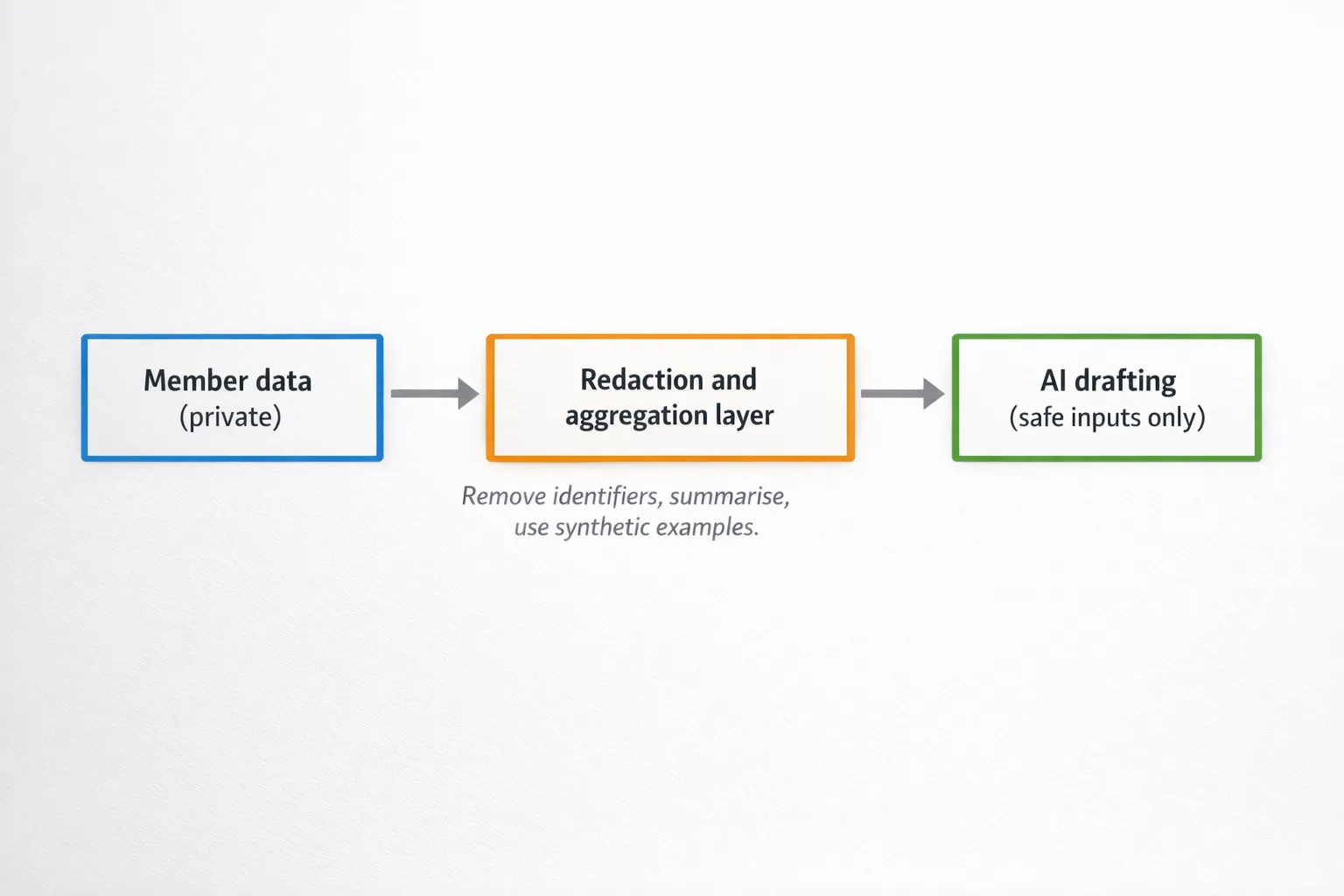
None of this means you cannot use AI. It means you need a workflow that separates private member data from content production inputs.
A privacy-first review framework for AI content tools
Privacy-respecting AI tools are rarely “perfect.” The goal is to choose tools and plans that match your risk level, then implement habits that keep sensitive data out of prompts.
When you evaluate an AI tool for content creation (writing, video, voice, design, analytics), use these criteria.
1) Data use and training policy (what happens to your inputs)
Look for clear answers to:
- Are prompts and uploads used to train models by default?
- Can you disable training, and is that setting available on your plan?
- Is there a defined retention period?
If a vendor is vague here, treat it as a red flag.
2) Access controls and auditability
For teams and VA support, the basics matter:
- Role-based access (so contractors do not see everything)
- SSO or strong admin controls (if available)
- Activity logs (who accessed what)
3) Export and deletion controls
Creators often outgrow tools because they cannot retrieve or delete content cleanly. For privacy, you also want reliable deletion processes.
4) Deployment model (cloud vs local)
If you routinely work with sensitive material (health, finance, HR, or minors), consider tools that support:
- On-device processing
- Self-hosting
- Or a dedicated enterprise environment
That may be excessive for a solo creator writing blog posts, but it becomes relevant once you start analysing member communications.
5) Your “prompt hygiene” reality
Be honest: if you will be tempted to paste raw tickets at 11pm before a launch, you need stricter guardrails.
That is where operational controls (templates, redaction, and gated access) can matter more than the vendor’s marketing.
Product spotlight review: Bot Verification as a privacy enabler (not just anti-spam)
Many “AI privacy” articles focus only on what you paste into an AI tool. Course creators face an additional problem: automated access and scraping.
If bots can hammer your login, enrolment, download pages, and member portal, they can:
- Scrape lesson previews and community pages
- Trigger password reset floods that expose account existence
- Abuse coupons and free trials
- Stress your support team with fake signups
This is where Bot Verification fits.
What Bot Verification is
Bot Verification provides a simple verification step designed to confirm users are not robots before granting access. Based on the available product summary, its core capabilities include:
- Robot verification
- User authentication
- Access control
Why this supports privacy (beyond security)
From a privacy perspective, reducing bot traffic is not only about protecting revenue. It helps you limit:
- Unauthorised access to member-only spaces
- Automated scraping of community content (where personal details often appear)
- Bulk harvesting of emails/usernames from forms
In other words, verification and access control reduce the likelihood that member data is exposed through “ambient leakage” (pages and endpoints that were never meant to be public at scale).
Where Bot Verification typically belongs in a course funnel
A privacy-respecting placement is usually “gate high-risk actions, not discovery.” For example:
- Before account creation (especially on free trials)
- Before login after multiple failed attempts
- Before downloading gated assets (PDFs, templates)
- Before accessing the member portal when traffic looks abnormal
Practical strengths for course creators
- Low conceptual overhead: creators understand “verify you’re human” quickly.
- Pairs well with data minimisation: you can keep verification separate from content tools, rather than over-sharing data to “detect fraud.”
- Improves trust posture: members are more likely to share openly when they believe the space is protected.
Realistic limitations
- Verification is not a privacy programme by itself. You still need good admin access policies, moderation processes, and prompt hygiene.
- No verification layer can stop a determined human who has legitimate access from copying content. It mainly raises the cost of automated abuse.
A privacy-respecting AI workflow for course creators (that still ships content fast)
Below is a workflow you can adopt without turning your business into a compliance project.
Start with “safe inputs” for drafting
Build a small library of inputs you can confidently use with AI tools:
- Your public content (blog posts, YouTube transcripts you own)
- Your curriculum outline and learning outcomes
- Your own frameworks and templates
- Sanitised audience research (aggregated themes, not raw messages)
When you want to incorporate member voice, do it via transformation first.
Add a redaction and aggregation step
Before any member-derived material touches an AI tool:
- Remove names, emails, usernames, company names, locations, and unique personal markers
- Convert raw text into bullet summaries of themes
- Replace details with placeholders (“[mid-career designer]”, “[B2B sales role]”)
If you need case studies, consider:
- Asking permission and anonymising properly
- Or creating “composite examples” that blend multiple situations so no single person is identifiable
Keep humans in the loop for claims, examples, and tone
AI drafts quickly, but course content often includes:
- Professional advice (legal, health, finance)
- Sensitive personal stories
- High-stakes career guidance
Human review is part of privacy too, because it prevents accidental inclusion of identifying details.
Secure the member portal so private discussions stay private
This is where verification and access control support the whole system.
A practical baseline:
- Use Bot Verification (or a similar mechanism) on high-risk endpoints
- Enforce strong authentication for admins
- Limit who can export community/support data
- Review who has access monthly (especially contractors)
For a broader security baseline, the UK’s National Cyber Security Centre guidance is a creator-friendly reference.
Distribution without compromising member privacy
Privacy mistakes often happen during marketing, not writing.
Two creator habits help a lot:
Separate “member insights” from “member identities”
It’s fine to say:
- “Members told me onboarding was confusing”
It’s not fine (without explicit permission) to say:
- “Sarah from Leeds told me she failed her probation because…”
Even if you remove the name, the context can identify someone.
Grow internationally without exporting member lists
If your growth plan includes TikTok and you want to reach specific countries, you can do that without uploading private member data anywhere. Use public-facing creative, then keep member-specific data inside your email platform and LMS.
For example, if you need a way to post TikToks organically in target countries to reach real local audiences, tools like TokPortal for geo-verified local TikTok posting are built for distribution reach rather than member data handling.
A decision table: matching AI content use cases to privacy controls
Here’s a quick way to decide how strict you need to be.
| AI use case | Example | Suggested privacy level | Practical control to add |
|---|---|---|---|
| Public marketing draft | Landing page, blog intro, ad angles | Low | Avoid member anecdotes, review for accidental identifiers |
| Course lesson drafting | Scripts, slides, worksheets | Medium | Use your own frameworks, keep student stories anonymised |
| Community insight mining | “Top questions this month” | High | Aggregate first, redact aggressively, restrict who can export data |
| Support automation content | Help centre articles from tickets | High | Summarise themes, do not paste raw tickets, add approval workflow |
The “privacy-respecting creator” checklist (simple, not legalistic)
Use this checklist when picking tools and building your process:
- Can we produce 80 percent of content using safe inputs (public content, our own IP, anonymised themes)?
- Do we have a redaction habit before AI use, especially for support and community text?
- Do we know where member exports live, and who can access them?
- Do we have verification and access controls protecting key endpoints from scraping and automated abuse?
- Are contractors and VAs restricted from sensitive areas by default?
- Do we have a rule for testimonials and case studies (explicit permission, anonymisation, right to withdraw)?
- Can we explain our AI usage to members in plain English if asked?
Bottom line
AI for content creation can coexist with strong member privacy, but only if you treat privacy as a workflow design problem, not a promise from a tool vendor.
Pick AI tools based on clear data handling, minimise what you send, anonymise what originates from members, and secure your membership surfaces so bots cannot harvest what learners share.
For course creators, Bot Verification is a practical piece of that puzzle because it supports robot verification, user authentication, and access control, which helps keep private spaces private while you scale content production.