
Creator AI Review: Safe Enough for Course Creators?

Course creators are adopting AI tools faster than ever, but “does it write good copy?” is no longer the only question that matters. If you teach online, you also handle student data, payments, and gated content, which means your AI stack has to be safe enough to run inside a real business.
This Creator AI review focuses on the safety side of the buying decision: privacy, security, compliance, and the risk of opening your course funnel to abuse. Because many AI vendors change features and terms quickly, treat this as a practical evaluation guide you can apply to Creator AI (and any similar tool) before you roll it into your workflow.
What “safe enough” means for course creators (not enterprise security teams)
Course creators have a unique risk profile:
- You often operate lean, without a dedicated legal or security team.
- You rely on trust, your reputation is part of your product.
- Your tech stack is usually a patchwork of LMS, email, checkout, community, and analytics.
So “safe enough” is about reducing avoidable risk while keeping your student experience smooth.
The four safety questions that matter most
When evaluating Creator AI, try to answer these four questions in plain English:
- What data will I put into it? (student emails, learner questions, private community posts, payment disputes, recorded calls)
- Where does that data go and who can access it? (vendor staff, subcontractors, model providers)
- What can go wrong if the tool is abused? (spam generation at scale, scraping, fake signups, credential stuffing, prompt injection against your internal content)
- What happens if I need to prove compliance? (GDPR requests, audit trail, vendor documentation)
If a vendor cannot help you answer these clearly, “safe enough” becomes hard to defend.
Creator AI review: a safety-first evaluation framework
Without assuming any specific features or guarantees from Creator AI, here is how to review it like a cautious course business owner.
1) Data handling and privacy: what Creator AI should tell you upfront
Course creators commonly paste sensitive material into AI tools without realising it, including:
- student support tickets and refund conversations
- draft assessments and answer keys
- lesson scripts and unreleased modules
- internal playbooks and marketing plans
Your goal is to find out whether Creator AI acts like a private workspace or a public-ish processor.
Look for (or request) answers to questions such as:
- Data retention: How long is your content stored? Can you delete it immediately?
- Training and improvement: Is your data used to train models or improve the service by default?
- Subprocessors: Who else touches the data (model providers, analytics, hosting)?
- Geography: Where is the data stored and processed?
- DPA availability: Can you sign a Data Processing Agreement if needed?
If you sell into the UK/EU, you also want to understand how the vendor supports GDPR obligations (access requests, deletion, lawful basis, and security measures).
2) Security controls: the minimum bar for a tool that touches your business
Even if Creator AI is “just a writing tool”, it can become a gateway to your assets.
At minimum, you want clarity on:
- Account security: strong passwords, MFA options, and protection against account takeover
- Team access (if you have contractors): separate logins, role-based access, and the ability to remove access fast
- Export and sharing: how links work, whether shared assets can be indexed, and how revocation works
If you cannot separate personal and business use (for example, you and a VA share one login), your risk goes up immediately.
3) Output risk: accuracy, IP, and learner trust
AI content tools can create issues that are not “security bugs” but still become business risk:
- Inaccurate teaching materials (especially dangerous in health, finance, compliance, or career credentials)
- Copyright and IP concerns around training data, reuse, and “derivative” content
- Policy violations in ad copy or claims (before-and-after results, medical claims, income promises)
A safe-enough workflow is less about perfect AI output and more about designing human review into the process. If you are using Creator AI to draft lessons or assessments, establish a rule such as:
- AI can draft, but a human must fact-check, add examples from your experience, and verify claims before publishing.
4) Compliance readiness: why the EU AI Act still matters to creators
Even small course businesses are increasingly affected by AI governance expectations, especially if you sell into the EU or partner with larger organisations.
The most practical way to approach this is to maintain an inventory of where AI is used in your business and what it does (marketing, support, grading, identity checks). A good explanation of this inventory-led approach is covered in this guide on EU AI Act readiness and scalable compliance management.
For Creator AI specifically, you want to be able to document:
- what you use it for (lesson drafting, email copy, support macros)
- what data you input (especially if it includes personal data)
- what safeguards you apply (human review, restricted prompts, no student PII)
This is not about “lawyering up”, it’s about being able to answer the inevitable question: “What AI tools do we use, and how do we manage risk?”
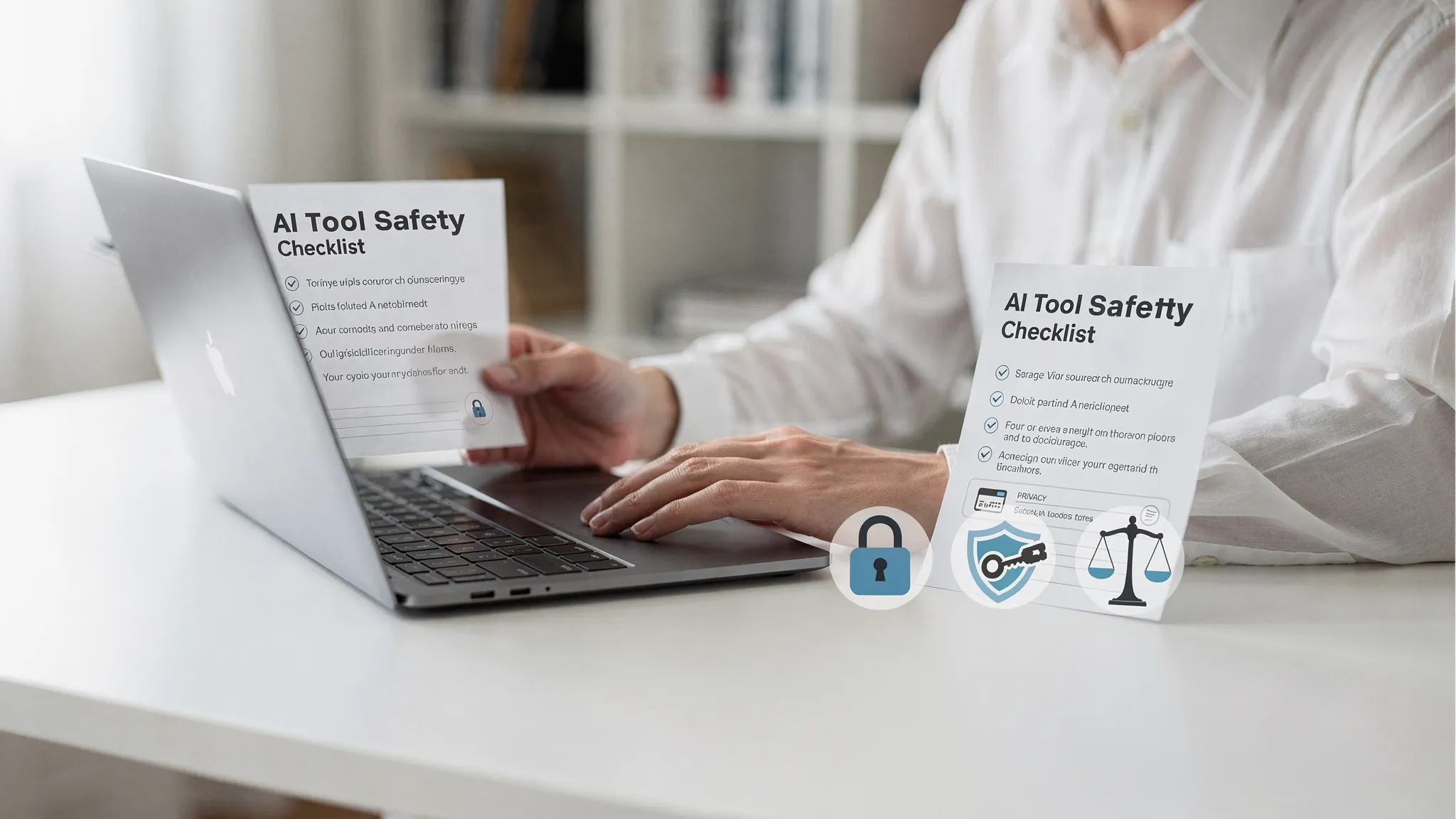
Creator AI safety checklist (use this before you commit)
The table below is a practical checklist you can run through while trialling Creator AI.
| Risk area | What to check in Creator AI | Why it matters for course creators | What “good” looks like |
|---|---|---|---|
| Privacy | Clear retention and deletion options | Student data can leak via copy/paste habits | You can delete history and understand retention defaults |
| Training use | Whether inputs are used to improve models | Your course IP and learner conversations are valuable | Opt-out (or opt-in) is explicit and documented |
| Access control | MFA, separate logins for team | VAs and contractors are common in creator businesses | MFA available and access can be removed quickly |
| Sharing | Link permissions and revocation | Accidentally public materials can get scraped | Share links can be disabled or made private |
| Audit trail | Ability to track usage (especially on team plans) | Helps investigate mistakes or misuse | Basic logs for who did what and when |
| Reliability | Outages, export formats, lock-in risks | Your launch calendar depends on tooling | Easy export and a “plan B” workflow |
| Policy alignment | Terms for commercial use, prohibited content | You sell content, you need rights to use it | Plain-language commercial usage terms |
If you cannot find these answers in documentation, ask support before you build your workflow around the tool.
Where course creators get burned: the two common “unsafe” patterns
Pattern 1: Using AI with real student data by default
It’s tempting to paste:
- a learner’s email thread
- a private community post
- a support ticket
…to get a fast, polished reply.
A safer approach is to create a “redaction habit”:
- remove names, emails, order IDs, and links
- summarise the issue instead of pasting raw content
- keep sensitive cases in your helpdesk, not your AI tool
Pattern 2: Scaling content without protecting the funnel
If Creator AI helps you publish more lead magnets, quizzes, free trials, or gated previews, it can indirectly increase bot attention:
- bots scrape downloads
- scripts brute-force coupon forms
- spam signups pollute your email list
- automated attacks probe login and reset endpoints
This is where creators often need a lightweight security layer that does not wreck conversion.
How Bot Verification fits into a Creator AI-based business
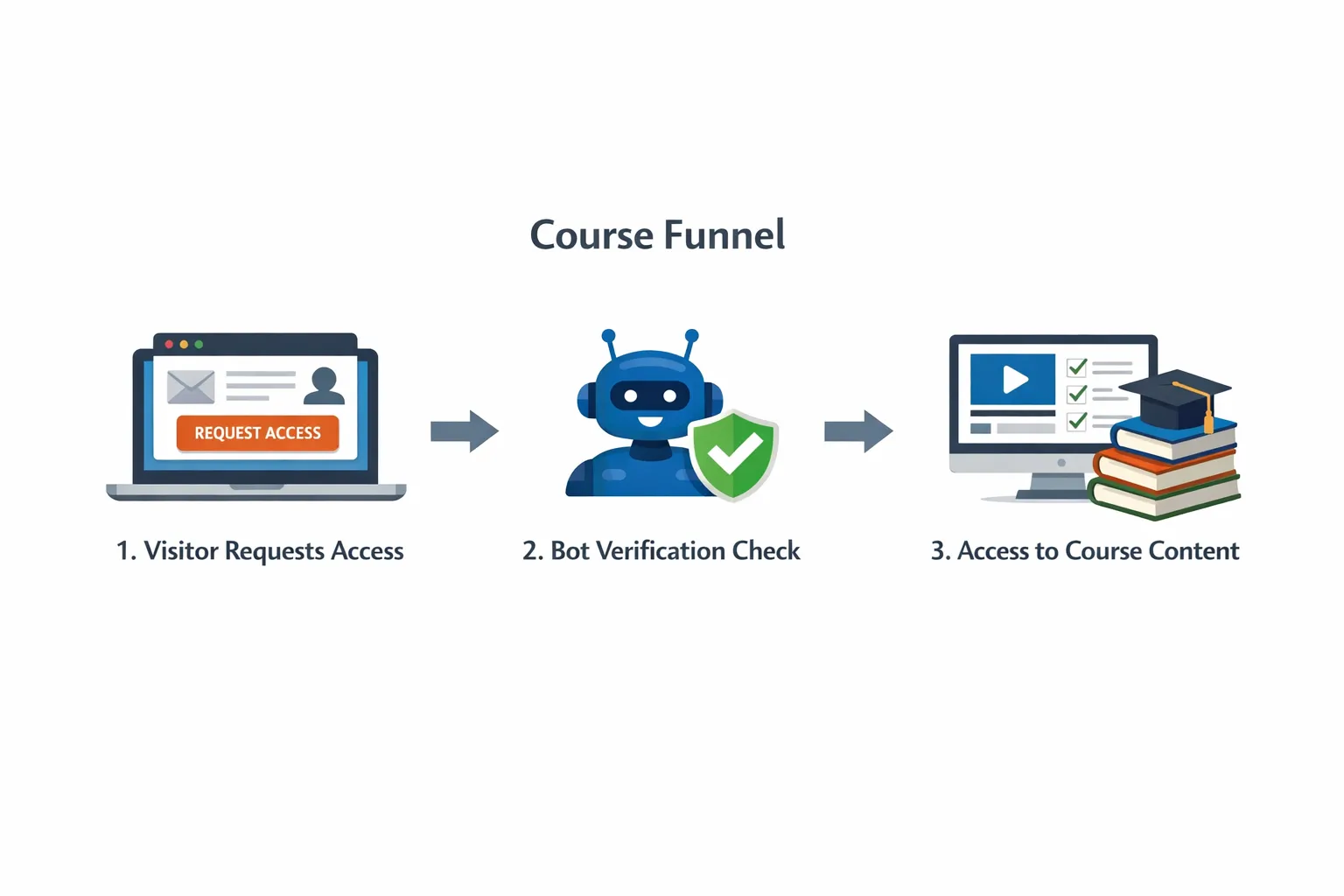
Creator AI (and similar tools) can speed up content creation, but it does not protect access. If you publish faster, you may need stronger gatekeeping around the high-risk points of your funnel.
Bot Verification is designed to add a simple verification step to confirm users are not robots before granting access, supporting user authentication and access control.
Practical places course creators commonly add bot checks:
- newsletter signup and lead magnet download
- checkout and coupon redemption
- login, password reset, and suspicious repeated attempts
- community registration and comment posting
The goal is not to challenge every user, it’s to reduce automated abuse while keeping real learners moving.
If you want a deeper vendor-agnostic approach to verification selection, this guide may help: How to Choose an AI Company for Verification.
A sensible 7-day trial plan for Creator AI (focused on safety)
Instead of testing only “content quality”, test whether Creator AI is safe enough for your real workflow.
Day 1 to 2: Policy and controls review
- Read the privacy policy and terms with a highlighter mindset: retention, training, deletion, commercial use.
- Check account security options (especially MFA).
- Identify what data you must never paste in.
Day 3 to 5: Workflow test with non-sensitive content
- Draft one lesson, one email sequence, and one sales page section.
- Track how often you had to correct inaccuracies.
- Test export, sharing, and version control (how easy is it to move drafts into your LMS or docs).
Day 6 to 7: Abuse and access thinking
- List the new assets you will publish more often because of Creator AI (freebies, quizzes, previews).
- Decide where you need verification gates to protect them.
- Define two metrics to monitor after rollout: signup quality (spam rate) and conversion impact.
If you cannot confidently map the risk, it’s a sign you should slow down before integrating the tool deeply.
Frequently Asked Questions
Is Creator AI safe enough for course creators? Safety depends on how Creator AI handles your data (retention, training use, deletion), how secure accounts and sharing are, and whether you keep sensitive student information out of prompts. If you can’t get clear answers from documentation or support, treat that as a risk signal.
Can I use AI tools like Creator AI with student personal data? You can, but it raises privacy and compliance obligations. A safer default is to avoid pasting identifiable student data and to use redacted summaries. If you must process personal data, you should understand the vendor’s role, retention, subprocessors, and deletion process.
Will using Creator AI increase bot attacks on my course website? Creator AI itself does not attract bots, but publishing more lead magnets and gated previews can increase automated scraping and spam signups. If you scale content output, it’s smart to review where your funnel needs lightweight verification.
Does bot verification replace login and passwords? No. Bot verification helps distinguish humans from automated scripts at key points (signups, logins, downloads), but you still need normal authentication and access control for accounts and paid content.
What’s the quickest way to improve safety when adopting an AI tool? Set a “no sensitive data” rule for prompts, enable the strongest account security available (ideally MFA), and run a short trial that tests export, sharing, and deletion controls, not just writing quality.
Protect your course funnel while you scale with AI
If Creator AI helps you publish faster, make sure your growth doesn’t come with more spam signups, scraped downloads, or automated abuse.
Bot Verification adds a simple verification step to confirm users are not robots before granting access, helping course creators protect signups, logins, and gated resources without building a complex security stack.
Explore Bot Verification at aitoolshed.co.






