
AI Reviews: Top Bot Verification Tools for Course Creators

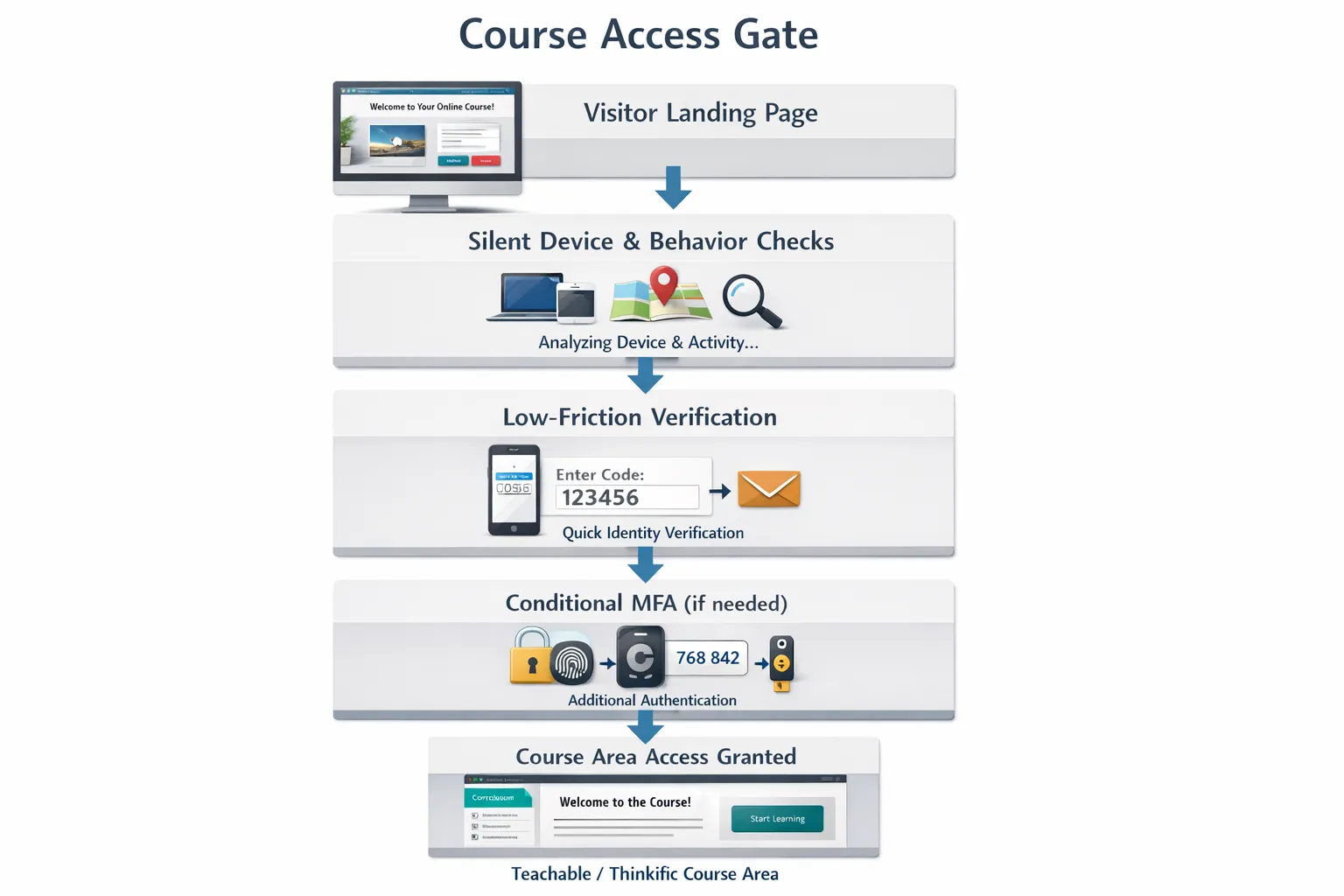
Bots are quietly eroding course revenue, polluting your email list, abusing coupons and scraping lessons. The fix is not another clunky challenge that frustrates genuine students. The fix is the right blend of silent risk scoring, lightweight proof checks and, only when needed, a human-friendly challenge. In this AI reviews roundup, we focus on the top bot verification tools for course creators, what each does best, and how to combine them without hurting conversions.
What matters for course creators in 2026
Security teams in fintech or gaming can tolerate extra friction. Most solo tutors and academies cannot. Prioritise these factors:
- Low friction on mobile: Most signups and checkouts happen on phones, including budget devices and weak networks.
- Accessibility and fairness: Screen reader compatibility, keyboard-only navigation, colour contrast and no forced audio challenges.
- Privacy and GDPR: Minimise data collected, avoid persistent tracking where possible, and document a lawful basis for processing.
- LMS and site-builder fit: Simple code snippets for Teachable, Thinkific, Kajabi, Podia, WordPress LMS, Webflow, Squarespace and custom stacks.
- Real attack coverage: Credential stuffing, fake enrolments, coupon abuse, scraping and card testing each need specific signals.
- Cost at scale: Predictable pricing and clear proof that the tool reduces support load, refunds and chargebacks.
How we evaluate bot verification tools
We assess solutions across four lenses that map to a typical learning business:
- Detection depth: Device intelligence, headless browser signals, behavioural biometrics and reputation graphing.
- UX impact: Challenge rate on low-risk traffic, mobile performance and accessibility.
- Integration path: Client-side snippets, server-side verification, LMS plug-ins and CDN or WAF compatibility.
- Governance: Privacy posture, data residency options, auditability, and the ability to tune sensitivity.
The top bot verification tools for course creators
Below are the leading options we recommend testing. Each entry includes where it shines, key considerations and typical integration notes for course stacks.
Cloudflare Turnstile
Best for: Most creators who want a drop-in, low-friction alternative to traditional CAPTCHAs.
Why it stands out: Turnstile relies on non-intrusive checks rather than cartoon puzzles. It is privacy-respecting and usually invisible to legitimate users. Works well on landing pages, signups and login forms.
Caveats: Optimal accuracy comes when you also validate tokens server side. Maximum value if you already use Cloudflare, but it also works standalone.
Integration notes: Add the widget to your form and verify on your server or serverless edge. Plays nicely with WordPress LMS, and can be embedded in custom forms for Teachable, Thinkific and Kajabi via code snippets.
hCaptcha Enterprise
Best for: Privacy-first teams that still want a robust challenge option when risk is high.
Why it stands out: Strong enterprise controls, flexible risk scoring and privacy posture. You can keep most users on invisible mode and present a challenge only to suspicious traffic.
Caveats: Tuning matters. If you over-tighten policies, you can increase user friction.
Integration notes: Mature documentation for client and server validation. Easy to inject in custom forms, WordPress, Webflow and headless front ends.
Google reCAPTCHA Enterprise
Best for: Teams comfortable with Google Cloud that want risk scoring plus familiar widgets.
Why it stands out: Enterprise-grade risk scores, broad ecosystem support, and familiarity for many devs. Invisible and checkbox modes make it easy to place on high-risk flows.
Caveats: Some users report occasional friction on specific browsers or regions. Review data processing implications if you have strict privacy commitments.
Integration notes: Straightforward for most LMS front ends and custom back ends. Widely supported in form builders and WordPress plugins.
Friendly Captcha
Best for: Privacy-first, accessibility-conscious deployments that want a simple user experience.
Why it stands out: Proof-of-work style approach minimises user interaction, often a single click or fully automatic. Good accessibility story and simple setup.
Caveats: Adds client compute work, so monitor impact on very low-powered devices.
Integration notes: Easy to add to signups, waitlists and download gates with a client script and server check.
DataDome
Best for: High-traffic schools and marketplaces battling scraping, credential stuffing and aggressive automation.
Why it stands out: Strong machine learning for real-time bot detection, wide CDN and WAF integrations, and a focus on enterprise-grade bot management.
Caveats: Typically overkill for small sites. Requires disciplined tuning and observability.
Integration notes: Deploy at the edge via your CDN or WAF, then complement with a lightweight client-side check on sensitive forms.
Arkose Labs
Best for: Large programmes facing persistent adversaries, coupon abuse at scale and reseller rings.
Why it stands out: Challenge orchestration designed to increase attacker cost. Useful when you need strong deterrence, not just detection.
Caveats: Heavier footprint and more friction when challenges appear. Aim for targeted use on the riskiest transactions.
Integration notes: Usually paired with an existing WAF or identity provider and triggered only when risk is high.
Fingerprint Pro BotD
Best for: Identifying repeat abusers, shared accounts and sophisticated headless or emulator traffic.
Why it stands out: High-quality device intelligence and bot signals that persist across sessions, which helps you link suspicious behaviour over time. Excellent for coupon abuse and seat sharing.
Caveats: Not a CAPTCHA, so you still want a challenge mechanism for high-risk events.
Integration notes: Add a client SDK, send signals to your back end and make allow or challenge decisions with your existing verification tool.
CHEQ
Best for: Cleaning up paid traffic and lead forms so your marketing spend is not wasted on bots.
Why it stands out: Focus on marketing traffic quality and pre-form filtering, reducing fake leads reaching your LMS or CRM.
Caveats: Not a full-stack bot mitigation for authenticated areas. Use it upstream of your signup and checkout flows.
Integration notes: Deploy on landing pages and forms, then rely on your bot verification or identity layers during authentication and access control.
Quick comparison for course use cases
| Tool | Primary approach | Typical friction | Ideal course use case | LMS integration effort |
|---|---|---|---|---|
| Cloudflare Turnstile | Invisible challenge with risk checks | Very low | Signups, logins, download gates | Low |
| hCaptcha Enterprise | Risk scoring plus adaptive challenges | Low to medium | High-risk enrolments and checkouts | Low to medium |
| reCAPTCHA Enterprise | Risk scoring and familiar widgets | Low to medium | Broad coverage across forms | Low |
| Friendly Captcha | Privacy-first proof of work | Low | Mobile-friendly gated content | Low |
| DataDome | ML bot management at edge | None for users, handled upstream | Scraping and credential stuffing defence | Medium to high |
| Arkose Labs | Challenge orchestration | Medium when triggered | Persistent, targeted abuse | Medium |
| Fingerprint Pro BotD | Device intelligence and bot signals | None for users | Coupon abuse and account sharing | Medium |
| CHEQ | Traffic quality filtering | None for users | Marketing landing pages and lead forms | Low |
Recommended stacks by scenario
Solo tutor or new cohort launch
- Start with Cloudflare Turnstile on signup and login, and Friendly Captcha on high-value downloads or coupon forms.
- Add simple server-side rate limits and token verification. Keep logs to review false positives.
Growing academy with paid ads and affiliates
- Layer CHEQ on landing pages to filter bad traffic before forms.
- Use hCaptcha Enterprise in invisible mode on enrolment and checkout, with challenges only for high-risk traffic.
- Add Fingerprint Pro BotD to catch repeat abusers and shared accounts.
Marketplace or enterprise learning platform
- Deploy DataDome at the edge to handle scraping and automated credential attacks.
- Keep Turnstile or hCaptcha as a UI-level verification for risky actions.
- Use Fingerprint Pro BotD for persistent identity signals and Arkose Labs as an escalation path for fraud rings.
A two-week rollout plan that preserves conversions
Day 1 to 3: Map risk points
Identify all gates, for example signup, login, checkout, coupon, file download, API endpoints and lesson streaming. Note mobile share, assistive tech usage and regions.
Day 4 to 7: Implement one invisible check
Add Turnstile, hCaptcha invisible or reCAPTCHA Enterprise on signup and login. Verify tokens server side. Monitor challenge rate and abandonment.
Day 8 to 10: Add device intelligence or edge protection
Implement Fingerprint Pro BotD or deploy DataDome at your CDN or WAF. Create rules for repeat abusers and credential stuffing.
Day 11 to 14: Escalate smartly
Introduce a visible challenge only for high-risk actions, for example checkout with a fresh device and flagged proxy. Review accessibility, run screen reader tests and tune thresholds.
What great verification UX looks like
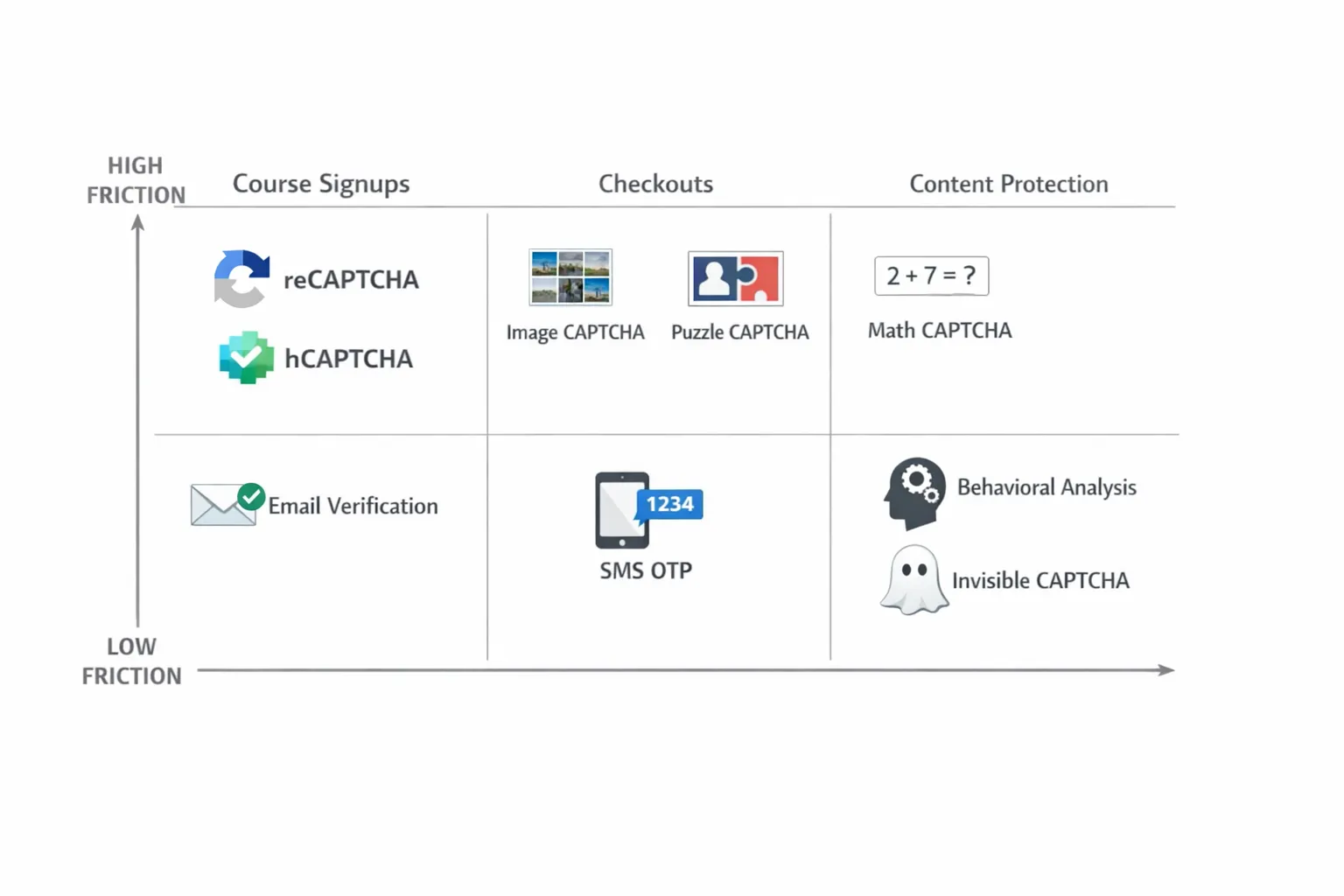
The best flows are short, silent and respectful. They explain why verification is happening, avoid visual puzzles by default, and only escalate when signals suggest risk. Other regulated industries have already shown this works. For instance, travel companies have streamlined complex identity and eligibility checks into simple, API-first journeys. A good example is how partners can integrate eVisa processing into their own user flows, proving that robust checks and a smooth experience are not mutually exclusive. Borrow the same principles for your course gates.
Implementation tips specific to course platforms
- Teachable and Thinkific: Use code injection for client scripts and verify tokens server side via webhooks or your custom domain. Test on mobile themes.
- Kajabi and Podia: Where server hooks are limited, place verification on forms and use a low-latency edge function for token checks.
- WordPress LMS (LearnDash, LifterLMS, TutorLMS): Choose a plugin-backed integration for reCAPTCHA or hCaptcha and validate tokens in your enrolment handlers.
- Custom stacks: Put bot management at the CDN or WAF layer, add a silent verification on forms, then escalate to a challenge or MFA only when needed.
FAQs
Do I really need both a CAPTCHA and device intelligence? For most course businesses, yes. A silent device and behaviour layer keeps friction low for good users, and a human challenge only appears when risk is high.
Will verification hurt conversions on mobile? If you lead with invisible checks and tune thresholds, the majority of students will never see a challenge. Measure time to complete forms and abandonment to confirm.
How do I keep verification accessible? Support keyboard-only navigation, provide ARIA labels, avoid audio-only challenges and test with a screen reader before launch. Offer a manual fallback when verification fails.
Where should I start if I have no developer? Begin with a low-friction widget like Turnstile or hCaptcha in invisible mode on your signup form. Many LMS and site builders support simple script embeds.
How do I know it is working? Track blocked automated attempts, challenge rate, form completion time, chargebacks, refund reasons and support tickets. Compare pre and post trends.
Does bot verification replace authentication or DRM? No. It complements login security and content protection. Use verification to keep bots out, then rely on authentication, authorisation and watermarking to protect lessons.
The bottom line
Choose the lightest touch that meaningfully reduces risk. Start with an invisible check on signups and logins, add device intelligence for persistence and repeat abuse, then escalate to challenges only when signals justify it. Course creators who follow this layered approach protect revenue while keeping genuine students moving.
Ready to add a simple, human-friendly gate to your own course? Bot Verification provides a lightweight step to confirm users are not robots before granting access. Keep your lessons safe, your checkout clean and your student experience fast.






