
AI Content Creation Tools That Support Access Control

AI is finally fast enough to help you plan lessons before lunch and ship videos by dinner. The catch for course creators is that the same speed can leak value if your content ends up open to the web. This guide reviews AI content creation tools that also support access control, so you can build faster without handing your materials to scrapers, coupon abusers or credential stuffers.
What “access control” should mean for creators
If your content pays the bills, access control is not just a login page. At a minimum, look for:
- Role and cohort rules, so only the right students see the right modules.
- Time-based access, for drip schedules, trials and alumni archives.
- Private or domain-restricted media, so embeds cannot be ripped from public pages.
- Link hardening, such as expiring links and disabled download or copy options.
- Bot resistance, a lightweight verification step before enrolment or downloads.
- SSO or group permissions, so teams, campuses or enterprise buyers are easy to onboard.
A good rule of thumb: the fewer places you need to jump to lock things down, the safer and simpler your operations will be.
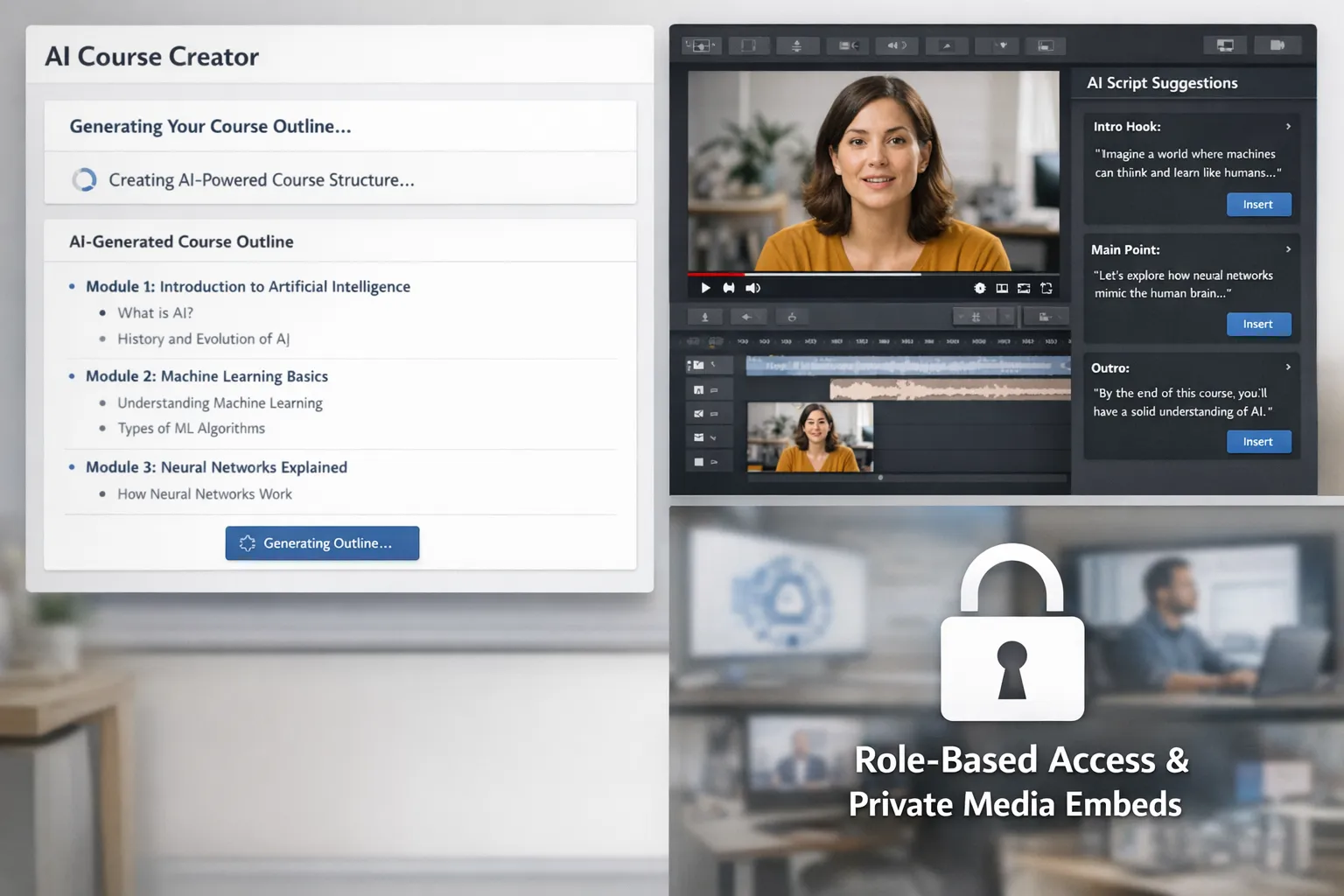
All‑in‑one course platforms with built‑in AI and native access control
These platforms combine AI for planning and production with course‑grade gating that protects lessons, downloads and assessments.
Kajabi
Kajabi’s recent AI features help generate outlines, lesson ideas and marketing copy. On the access side, Kajabi lets you bundle products, set drip schedules, control who can access communities and configure member‑only areas. You can gate downloads, require purchase for access and apply coupons without opening the floodgates. For most solo creators and small teams, this keeps creation and control under one roof.
Best for: creators who want AI assistance and a monetisation‑ready gate without extra plugins.
Teachable
Teachable offers AI help for curriculum planning and quiz generation, which speeds up course setup. Access control covers prerequisites, drip content, student roles and gated downloads. Payment and checkout are integrated, so you can keep the sensitive parts of your funnel behind a verified student account.
Best for: first courses or cohort programmes that need simple, sensible guardrails.
Thinkific
Thinkific’s AI assists with course outlines and assessments, and its access controls are mature, including bundles, prerequisite logic, cohort grouping and granular roles. Larger schools can explore SSO on higher tiers to align with corporate or campus identity systems.
Best for: multi‑course catalogues and B2B training where permissions and grouping matter.
LearnWorlds
LearnWorlds includes an AI assistant for course structure and question banks, plus interactive video tools that raise learning quality. Access control spans roles, course sections, drip and bundles. Hosting is flexible, and you can keep videos private through supported hosts while limiting what non‑enrolled visitors can see.
Best for: interactivity‑heavy programmes that still want tight enrolment gates.
AI video creation and hosting with privacy controls
If video is your core medium, choose tools that accelerate scripting and editing while keeping viewers authenticated.
Vimeo
Vimeo adds AI script suggestions and a teleprompter to speed production. For access control, it supports private links, passwords and domain‑level embed restrictions. This means your lesson videos only play on your LMS or site, not on random domains or scraped pages.
Best for: creators who self‑host their LMS but want studio‑grade, private video delivery.
Wistia
Wistia’s AI features can auto‑generate chapters and summaries, which helps students navigate long lessons. Access options include private and password‑protected videos, plus embed restrictions. You can also require an email before playback if you want an extra light gate for bonus content.
Best for: course marketers who use video for both acquisition and paid delivery, with different privacy needs.
Synthesia or HeyGen
Avatar‑based video tools like Synthesia and HeyGen excel at turning scripts into professional training videos. Workspace‑level permissions handle who can create and edit. For distribution, export to a host with stricter viewing controls, then restrict playback to your domain or LMS.
Best for: scaling multilingual or evergreen training videos that you will gate elsewhere.
Documents and slides with AI and enterprise‑grade permissions
Google Workspace with Gemini for Workspace
Gemini speeds outlines, slide drafts and speaker notes across Docs and Slides. Google Drive provides mature access control: share to groups only, require sign‑in, set view or comment permissions, disable download or copy for viewers, and set expiry dates. This is ideal for teacher notes, slide decks and worksheets you only want enrolled students to see.
Best for: teams already on Google Workspace that need granular control down to file actions.
Microsoft 365 with Copilot
Copilot accelerates drafting in Word and PowerPoint, and Microsoft 365 supports link expiry, password‑protected shares, and information protection labels. Store lesson materials in SharePoint with group‑based access and audit trails, then link from your LMS.
Best for: organisations standardised on Microsoft with compliance requirements.
Canva
Canva’s Magic design features create lesson visuals, thumbnails and social assets quickly. For access control, Canva designs support role‑based sharing in teams, and Canva Websites can be password‑protected. Use a password for private resource hubs, or export final assets to a gated LMS module.
Best for: creators who want AI‑assisted visuals and occasional password‑protected microsites.
CMS stacks that pair AI writing with robust paywalls
If you run your own site, you can assemble a stack that marries AI drafting with proven membership controls.
WordPress + Jetpack AI Assistant + MemberPress (or similar)
- Creation: Jetpack AI Assistant helps draft and refine pages and lessons within WordPress.
- Access: a membership plugin such as MemberPress gates posts, pages and downloads by plan, adds drip schedules and supports coupons. Combine with private video hosts for lesson playback.
- Verification: add a lightweight bot check on registration and checkout to cut automated sign‑ups without hurting conversion.
Best for: creators who want control over branding and pricing, and who are comfortable managing a few plugins.
Webflow + Jasper (or similar) + Memberstack
- Creation: Jasper or your preferred AI writer for outlines and copy, then design in Webflow.
- Access: Memberstack handles paywalls, plans and gated pages, and you can add email verification flows.
- Media: host video on Vimeo or Wistia with domain restriction so embeds only play on your site.
Best for: design‑led brands that want polished custom sites with straightforward gating.
Quick comparison: creation speed meets control
| Tool or stack | Where AI helps | Access control that matters | Best for |
|---|---|---|---|
| Kajabi | Course outlines, copy suggestions | Member‑only areas, offers, drip, gated downloads | Solo creators and small teams |
| Teachable | Curriculum and quiz generation | Prerequisites, drip, gated lessons | First courses and cohorts |
| Thinkific | Outlines and assessments | Bundles, prerequisites, groups, SSO options | Multi‑course catalogues, B2B |
| LearnWorlds | Course structure, question banks | Roles, sections, drip, flexible hosting | Interactive learning |
| Vimeo | AI scripts and teleprompter | Passwords, private links, domain‑restricted embeds | Private video delivery |
| Wistia | AI chapters and summaries | Passwords, embed restrictions, email capture | Marketing plus paid lessons |
| Synthesia/HeyGen | Avatar video from scripts | Workspace sharing, export to private host | Scalable training production |
| Google Workspace | Drafts in Docs/Slides | Group sharing, disable downloads, link expiry | Teams on Google |
| Microsoft 365 | Drafts in Word/PowerPoint | Link expiry, passwords, info protection | Microsoft environments |
| WordPress stack | On‑site AI drafting | Full membership paywall, drip, coupons | Custom branded schools |
Privacy, data and “free” AI
AI can speed production, yet you should understand where your prompts and files go. Some free tiers log data for training or analytics, which may not suit client or student materials. For a practical overview, see this guide to free AI tools without compromising your data. Pair that advice with your platform’s privacy settings and your own data‑minimisation practices.
Implementation blueprint: lock it down without slowing down
-
Map your assets. List every item that needs protection, for example videos, slide decks, worksheets, quizzes and community spaces.
-
Decide the gate per asset. Videos on Vimeo or Wistia with domain restriction, documents in Drive or SharePoint with viewer download disabled, pages behind a membership plan.
-
Add a light human check. Place a low‑friction verification step before registration or high‑value downloads. You will stop the bulk of scripted sign‑ups while keeping conversion high.
-
Use cohort rules and drip. Students only see what they have paid for, when they need it, which reduces sharing and cuts support tickets.
-
Monitor and iterate. Track failed logins, unusual device changes, bot‑like sign‑ups and video hotlink errors. Adjust rules, add expiring links for vulnerable assets and rotate bonus links each term.
Tool‑by‑tool notes and caveats
- AI drafts still need review. Your brand voice, factual accuracy and alignment with learning outcomes are the difference between useful automation and lazy content.
- Video privacy is necessary, not sufficient. Use LMS authentication for the page and hosting restrictions for the media. That two‑layer approach stops most casual scraping.
- Passwords are only one layer. Prefer member accounts with roles. Where you must use passwords, rotate them and avoid reusing across cohorts.
- SSO is a growth unlock for B2B. If your buyers are companies or schools, SSO reduces support time and improves adoption.
- Do not over‑collect data. Ask only for what you need to verify a human and provide access, then store it securely.
Frequently asked questions
Can I rely on unlisted links for paid course videos? Unlisted links are easily shared and scraped. Use an LMS page behind login and a host that restricts playback to your domain or requires a password.
Do access controls hurt SEO for my public content? No, keep marketing pages public and indexable, and gate only premium areas. Search engines will not index content behind login.
What is the difference between access control and DRM? Access control governs who can see content, for example login, roles and domains. DRM adds technical restrictions to copying or playback. Many creators get strong results with access control plus private hosting without the overhead of full DRM.
How do I stop bots from abusing coupons or free trials? Add a low‑friction verification step before sign‑up or checkout, rate‑limit attempts and watch for repeated device fingerprints or disposable emails.
Which AI tool is safest for sensitive lesson plans? Use tools that let you keep files in your own storage with granular permissions, for example Google Workspace or Microsoft 365. Review each vendor’s data‑use policy, especially on free tiers.
If I build on WordPress, do I need both a paywall and private video hosting? Yes. The paywall protects pages and files, and private hosting stops embeds from playing on other domains.
Can I mix platforms, for example Teachable plus Vimeo? Absolutely. Many creators use an LMS for accounts and payments, then embed private videos from Vimeo or Wistia set to play only on the LMS domain.
The bottom line for course creators
You do not have to choose between speed and safety. Pick AI content creation tools that come with the controls you need, then add simple verification at enrolment or download points. That combination keeps bots and bad actors out, while genuine students enjoy a seamless experience.
Ready to reduce fake sign‑ups and protect your premium modules without hurting conversion? Add a lightweight human‑check gate to your enrolment and download flows. It takes minutes to set up and helps ensure only real people get in.






