
AI Chatbot Tactics for Course Access Security

Online course piracy, shared log-ins, and credential stuffing make the headlines every month, costing independent educators millions in lost revenue. Yet most course platforms still rely on basic password protection or reCAPTCHA screens that savvy bots bypass in seconds. Enter the modern AI chatbot: a conversational gatekeeper that can instantly tell a motivated learner from a malicious scraper while keeping the enrolment experience friction-free.
Why AI Chatbots Are the New Front Line for Course Access Security
Traditional security controls (password rotation, email PINs, static CAPTCHA) protect content at the surface level but often fail when faced with:
- Automated credential stuffing attacks using leaked email-password combos.
- Link sharing inside private communities that spreads unauthorised access.
- Session hijacking and cookie theft on unsecured learner devices.
An AI-driven chatbot adds a dynamic, contextual layer that is much harder to script against. By analysing language patterns, behavioural cues, and third-party data, it can decide in real time whether to grant, delay, or deny classroom entry.
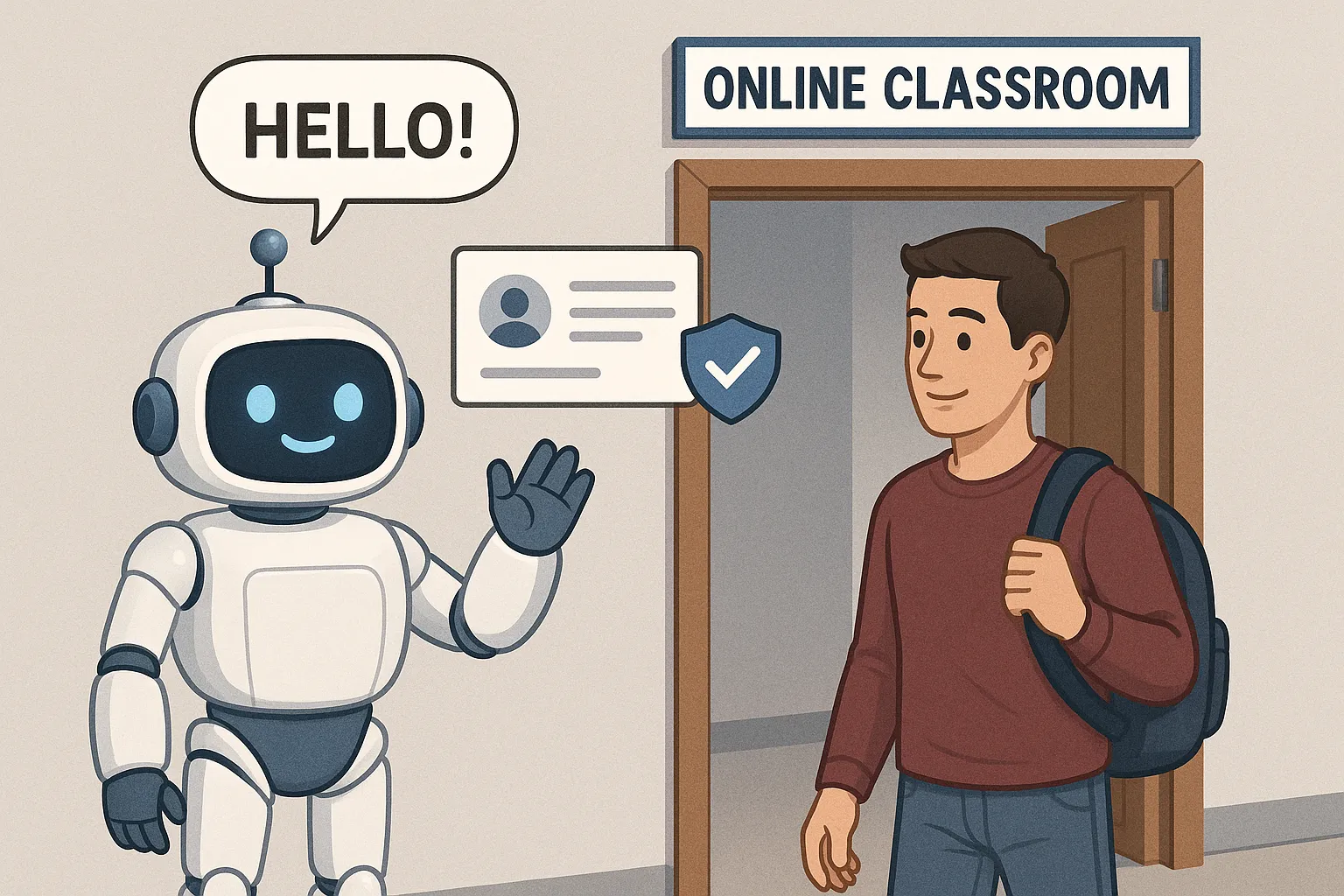
Key Advantages Over Static Verification
- Adaptive challenges: The bot can serve progressively more difficult questions if suspicious signals are detected.
- Seamless UX: Learners stay within the familiar chat window, eliminating the need to juggle pop-ups and code emails.
- Continuous monitoring: Chatbots can reassess legitimacy during the session, not just at log-in.
- Instant remediation: If a leak is detected, the bot can revoke tokens or lock specific course modules without manual admin work.
Core Tactics to Secure Course Access With AI Chatbots
Below are the most effective tactics course creators are using in 2025, along with the AI tooling that powers them.
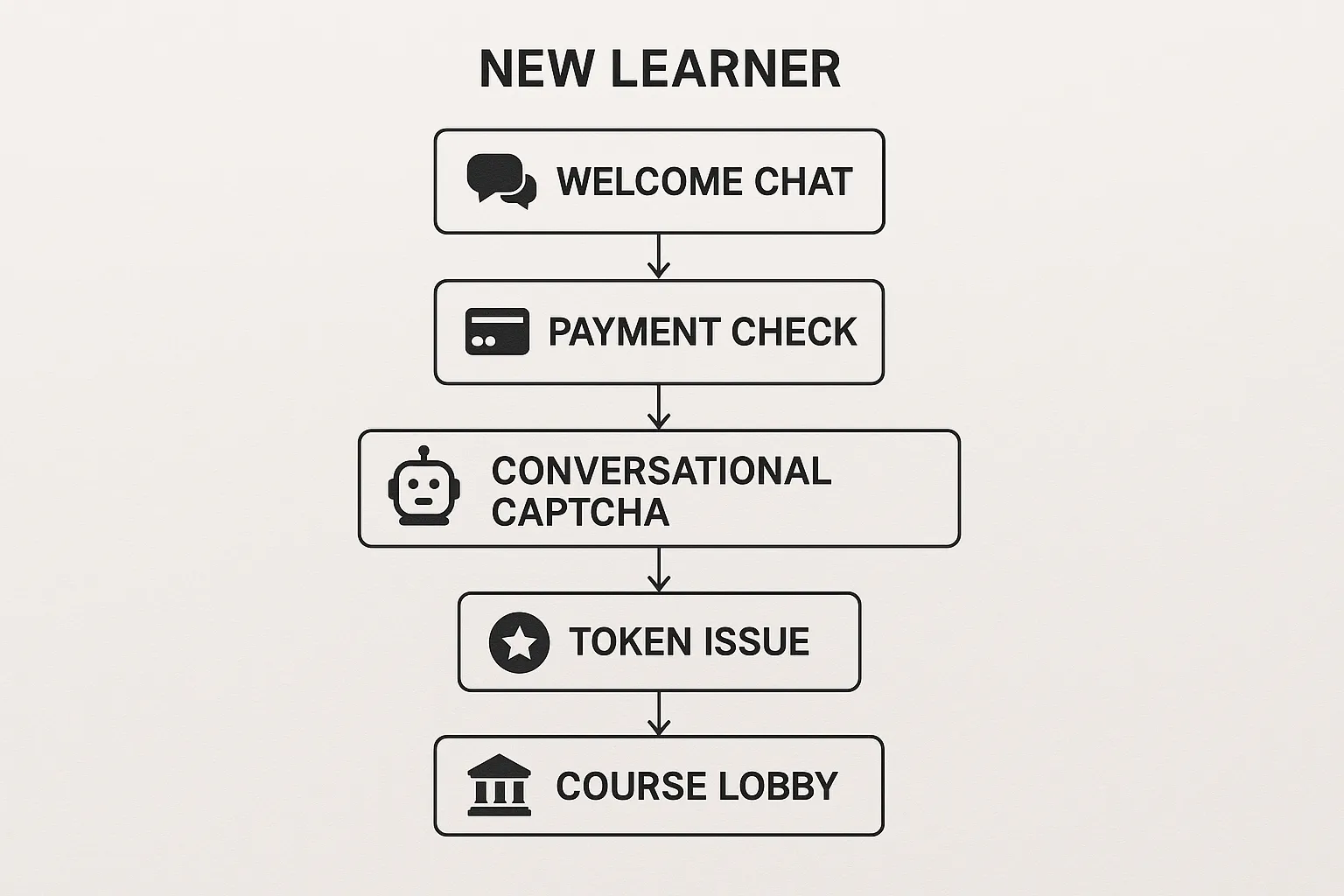
1. Conversational CAPTCHA (Bot vs Human Linguistics)
Rather than asking learners to identify blurry images, the chatbot poses quick, domain-related questions (for example, “Which core concept did you find hardest in Module 1?”). Genuine students answer naturally; scripts struggle to generate coherent, contextual replies.
Tool spotlight:
- Botpress offers NLU intents with confidence thresholds, ejecting users who fail to meet the threshold twice.
- Tidio AI enables admins to build keyword scoring flows using a no-code visual editor.
2. Multi-Factor Authentication Inside Chat
The bot requests a one-time passcode (OTPC) or magic link and immediately verifies it without redirecting away from the course portal. Since the entire dance takes place in the chat thread, learners rarely abandon the flow.
Tool spotlight:
- Intercom Fin integrates with Auth0 or Okta for delegated OTPC checks.
- Chatlayer by Sinch supports SMS, email, and WhatsApp passcodes through a single API.
3. Payment and Licence Validation
For courses sold via Stripe or Paddle, chatbots can ping payment APIs to confirm the transaction ID belongs to the logged-in email. They then generate a short-lived JSON web token (JWT) for video streams, blocking screen recorders that join via copied links.
Tool spotlight:
- ManyChat now ships with a native Stripe node in its Flow Builder.
- Voiceflow supports custom HTTP blocks to fetch the licence status from your LMS backend.
4. Behavioural Anomaly Detection
AI models trained on normal learner behaviour (time on video, quiz completion cadence, IP reputation) feed risk scores to the chatbot. If a user suddenly streams 10 hours of content in 20 minutes or logs in from five countries in a day, the bot intervenes.
Tool spotlight:
- Sift Science plug-in for Botpress delivers real-time fraud scores.
5. Escalation to Human Tutor
When the bot’s confidence level dips below a set threshold, it routes the session to a live tutor or administrator, preserving the learner’s experience and reducing false positives.
Tool spotlight:
- Zendesk Advanced AI auto-creates a ticket with the entire chat transcript and risk metrics.
Comparing the Leading AI Chatbot Platforms for Security
| Platform | Best For | Native Security Features | Price Range (starter tiers, 2025) | Notable Limitations |
|---|---|---|---|---|
| Botpress Cloud | Developers needing full code control | NLU intent gating, webhooks, JWT generation | Free up to 2k chats, then £49/mo | Steeper learning curve than drag-and-drop tools |
| Tidio AI | Solo creators on WordPress/Shopify | Visual flow builder, re-authentication blocks | Free up to 100 chats, then £29/mo | Limited behavioural analytics |
| Intercom Fin | Scale-up academies | Auth0/Okta lookup, risk-based prompts | Starts £74/mo (+ seat fees) | Costly for small lists |
| Chatlayer by Sinch | Multi-channel enrolments (SMS, WhatsApp) | Multi-factor prompts, phone validation | Custom quote | Lacks course-specific templates |
| Manychat | Creators selling via social DM funnels | Stripe verification action, audience tags | Free up to 1k contacts, Pro £15/mo | Facebook compliance quirks |
Pricing captured November 2025 from public vendor pages and may change.
Implementation Checklist for Course Creators
- Map your learner journey (promo email → checkout → first log-in → module milestones).
- Identify weak spots (shared credentials, leaked links, unusual IP addresses).
- Choose a chatbot platform that integrates with your LMS or payment stack.
- Build a baseline conversational CAPTCHA and OTPC flow.
- Connect risk-scoring APIs and decide escalation rules.
- Pilot with 5 % of new sign-ups, measure abandonment and blocked threats.
- Roll out to 100% once the abandonment rate stays under 3%.
Common Pitfalls (and How to Avoid Them)
- Over-aggressive triggers: If every second message is a security quiz, genuine learners churn. Use progressive profiling.
- Ignoring mobile latency: OTP emails can take 30 s on slow networks. Offer a fallback question while the code is being processed.
- One-size-fits-all content: Personalise challenges to the module purchased. A Python course quiz should not ask marketing trivia.
Future Trends to Watch in 2026
- Voice biometrics inside chatbot calls for hands-free verification.
- LLM-powered style-matching to flag GPT-generated learner essays in assessments.
- On-device inference (Edge AI) that keeps sensitive learner data out of the cloud, easing GDPR compliance.
Frequently Asked Questions
Will extra chatbot steps hurt my conversion rate? When implemented with conversational UX, most creators report a drop-off of less than 2% and see a net revenue gain from reduced piracy.
Can I add a chatbot to Kajabi or Teachable? Yes. Use the platform’s HTML block or Code Injection to embed a web widget from Botpress, Tidio, or Intercom.
Is conversational CAPTCHA accessible for visually impaired learners? You can switch to audio prompts or skip questions for users with verified accessibility settings.
Protect Your Course Revenue Today
Keeping bots out should not mean locking genuine learners in a maze of forms. A well-designed AI chatbot strikes the perfect balance between airtight security and smooth onboarding. Ready to test it? Start a free trial of our Bot Verification widget and see how quickly you can deploy conversational gatekeeping on your course portal.






