
Best AI Content Creation Tools for Course Sellers

Course sellers win on two fronts, speed to publish and quality that drives completions and sales. The right AI stack helps you draft lessons, design slides, record and edit video, add natural voiceovers, generate quizzes, and ship multilingual versions without adding headcount. Below is a practical buyer’s guide to the best AI content creation tools for course sellers in late 2025, plus stack recipes and guardrails to keep quality high and your assets protected.

What to prioritise as a course seller
Before you trial new tools, align your selection with how you create and sell courses.
- Learning outcomes first, choose tools that make it easier to teach concepts clearly, not just generate more words or clips.
- Accessibility by default, prioritise auto captions, transcripts, clear slide design, contrast, and keyboard-friendly exports.
- Localisation and consistency, look for translation, voice cloning across languages, and brand style controls.
- LMS-friendly outputs, ensure you can export MP4, SRT, PDFs, and embed codes that play nicely with Teachable, Thinkific, Kajabi, Moodle and WordPress LMS plugins.
- Governance and reuse, templates, content libraries, and audit trails will save you hours when updating versions or handing work to freelancers.
If you are still deciding where to start, use this short decision guide on scoping and fit, How to Choose the Right AI Content Creation Tool.
Quick picks, best tool for each job
These recommendations focus on tools that ship course-ready assets fast and keep quality consistent.
| Job to be done | Best for course sellers | Why it stands out | Notes |
|---|---|---|---|
| Topic and outline research | WriterZen | Combines topic discovery, clustering, and briefs so your lessons map to real demand | Strong for building a multi-module syllabus |
| SEO content and lesson pages | Surfer SEO | Data-backed content editor and audits to help your lesson pages rank | Pairs well with your preferred writer |
| Scriptwriting and sales copy | Jasper vs Copy.ai vs Writesonic | Three proven options for fast drafts, variant testing, and brand voice | Pick based on templates and collaboration needs |
| Turn docs or URLs into slides | Chatslide | Converts research into clean decks and exports to video with avatars | Great for slide-first teaching |
| Text to video lessons | Synthesia | Studio-quality avatar videos from scripts with multilingual support | Ideal for scalable training |
| Video editing and screen capture | Descript | Edit video like a doc, remove filler words, record screens, publish fast | Perfect for walkthroughs |
| Voiceover and narration | Top AI Voice and TTS tools | Compare ElevenLabs, Murf, Play.ht and more for natural multi-language speech | Choose voices students will trust |
| Transcription and captions | Otter.ai | Real-time notes, summaries and SRTs for lectures and webinars | Speeds up editing and accessibility |
| Repurpose long lectures | Pictory | Turn long videos or blogs into short clips with captions and highlights | Excellent for promo snippets |
| Visual design and handouts | Canva | Magic Studio speeds up slides, worksheets, social posts and branding | Strong template ecosystem |
| YouTube growth for promos | VidIQ vs TubeBuddy | Tools that help titles, tags, and A/B tests to fill your funnel | Use whichever matches your workflow |
| Automation glue for the stack | Zapier | Connect writing, video, storage and LMS tasks to remove busywork | Start with post-publish automations |
Deep dives by category
Plan and write course content
- WriterZen, map your course to actual learner demand with topic discovery and keyword clusters, then generate briefs that keep modules aligned and avoid duplication. See our full review of WriterZen.
- Surfer SEO, when lesson pages, blogs, or resource hubs need to rank, Surfer’s content editor and audits ensure topical coverage and internal linking. Read our hands-on Surfer SEO review.
- Long-form assistants, if factual accuracy matters, consider platforms with built-in verification. See our LongShot AI review for a fact-checked approach to scripts and guides.
- Copy generators, for lesson scripts, landing pages, and emails, compare strengths in templates, brand voice, and team collaboration in this Jasper vs Copy.ai vs Writesonic comparison.
Practical tip, lock your learning objectives first, then draft AI-assisted scripts. It is easier to keep a clear didactic structure than to retrofit it later.
Build slides and course visuals fast
- Chatslide, drop a doc or a URL in and get a solid first slide deck, then export video with an avatar presenter when you need asynchronous delivery. Strong for trainers who think in slides.
- Canva Magic Studio, create branded slides, handouts, diagrams, and social art quickly, then share templates with collaborators. Our 2025 rundown is here, Complete Canva Review.
Design note, keep fonts large, colours accessible, and visuals concrete. A simple diagram that explains one idea beats a busy slide every time.
Turn scripts into polished video lessons
- Synthesia, produce avatar-led lessons in dozens of languages from a single script. Ideal for compliance or process training where consistency matters. See our how-to, Synthesia AI Video.
- Descript, record your screen, webcam, and mic, then edit the transcript like a doc, remove filler words, and publish with captions. Read our full Descript review.
If you want a wider survey of text-to-video and editing platforms, explore our 2025 benchmark, Best AI Video Creation Tools for training and marketing, which includes Runway, HeyGen and more, Best AI Video Creation Tools 2025.
Narrate, caption and localise
- Voiceover and TTS, lifelike narration improves watch time, and modern tools do this credibly across languages and styles. Start with our comparison to pick the right engine for your use case, Top 10 AI Voice and TTS Tools.
- Transcription and captions, use Otter.ai to generate notes, highlights and SRTs from live or recorded sessions, or try Fireflies for team-wide meeting capture and analytics, see our Fireflies.ai review.
Accessibility reminder, always ship SRT captions with videos and provide transcripts for audio-only lessons. Your global audience, and your SEO, will thank you.
Repurpose lectures into marketing and microlearning
- Pictory, transform long lectures or blog posts into short, captioned clips for reels or lesson intros. It is brilliant for turning one recording into a week of social content, Pictory AI review.
- For a focused, one-tool-per-job approach to repurposing, including caption styles and automation tips, read our guide, Best AI Tools for Repurposing Content.
Promote your course pages and videos
- YouTube growth, if video is a key acquisition channel, use one of the two proven kits for keyword research, metadata, and A/B testing thumbnails and titles. Compare them here, VidIQ vs TubeBuddy.
- Full-stack SEO, when you need competitive research, content calendars, and audits together, Semrush is a safe bet. Our hands-on evaluation covers strengths and trade-offs, Semrush Review.
Automate the busywork
- Zapier, stitch your stack together, from moving finished videos to your LMS, to creating YouTube captions from Otter, to posting updates in your community. Start with our step-by-step tutorial and example Zaps, Zapier review.
Automation idea, create a simple flow, when a video export lands in your Drive folder, generate captions, upload to Vimeo or YouTube unlisted, then notify your LMS to publish the lesson.
Add assessments the smart way
If you want AI to help with quizzes and question banks, try one of these purpose-built tools to generate MCQs, short answers, and Bloom’s-aligned questions directly from your syllabus or readings.
- Quizgecko, fast question generation from text or URLs with difficulty controls.
- QuestionWell, education-focused generator with export options for Google Forms and common LMS formats.
Keep a human in the loop for accuracy, clarity, and bias checks before you publish assessments.
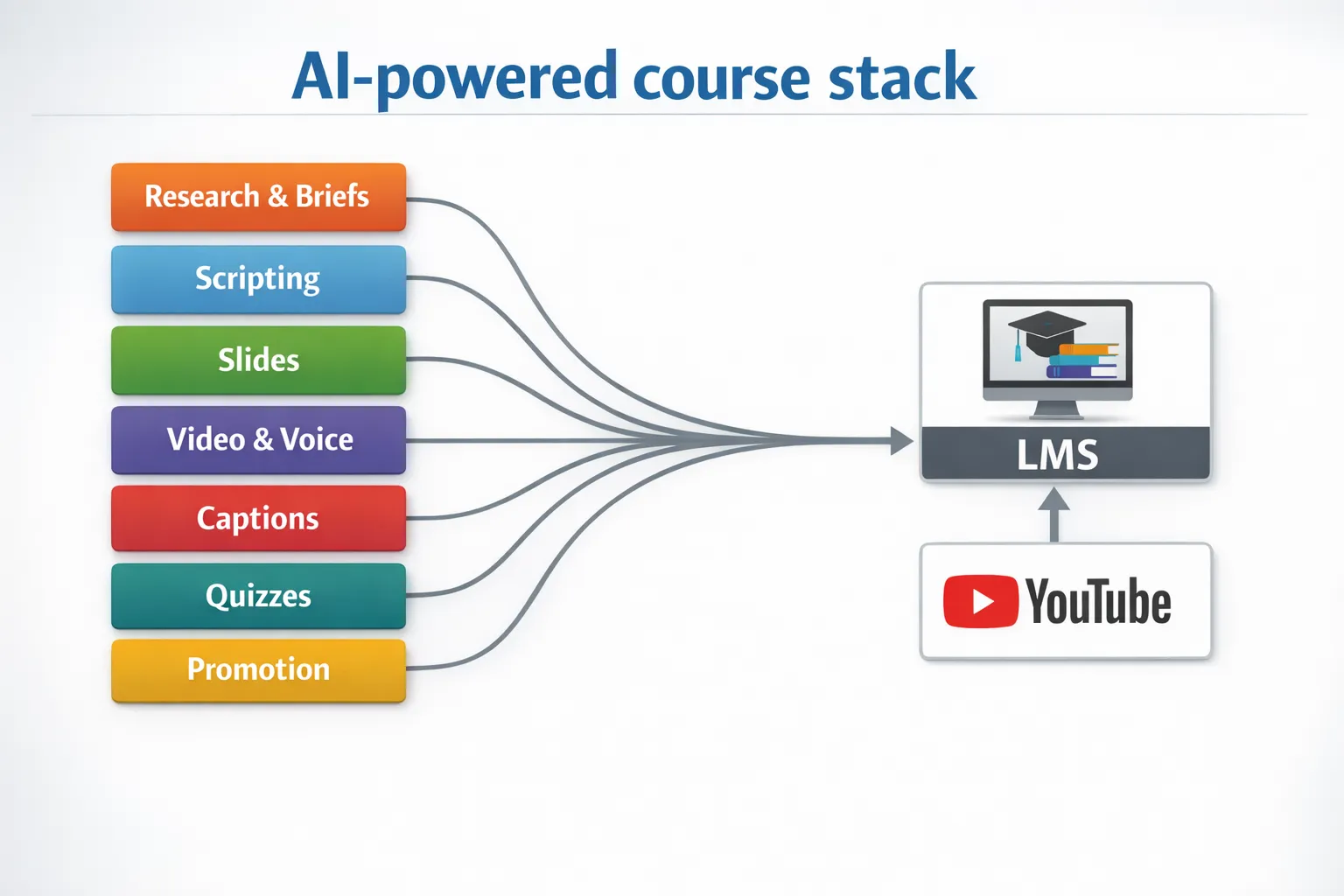
Two stack recipes for real-world course launches
Solo creator, paid course in two weeks
- Plan, WriterZen for topic clusters and module briefs, 1 day.
- Draft, Jasper or Writesonic for scripts and sales copy, 2 to 3 days.
- Slides, Chatslide to draft, Canva to polish, 2 days.
- Record, Descript for screen capture and editing, 2 to 3 days.
- Voice and captions, a TTS pick for narration plus Otter SRTs, 1 day.
- Repurpose and promo, Pictory for short clips, VidIQ or TubeBuddy to optimise YouTube, 1 day.
- Automate, Zapier to upload, caption and publish, then notify your list.
Training team, multilingual roll-out
- Canonical script in English, fact-check with LongShot AI, then localise.
- Produce avatar-led versions with Synthesia in priority languages, reuse the same slides and on-screen text where possible.
- Generate local voiceovers with your chosen TTS engine, include language-appropriate captions and transcripts.
- Run SEO and YouTube optimisation per locale, Semrush plus VidIQ or TubeBuddy.
- Automate handoffs, use Zapier to manage asset versions and LMS publishing per region.
Quality and protection, keep standards high without adding friction
- Editorial guardrails, always review AI outputs for accuracy, tone, and inclusivity. Keep a short checklist for scripts, slides, and quizzes.
- Accessibility and SEO, ship SRTs, transcripts, descriptive alt text, and clean slide templates. This helps learners and discoverability.
- Protect enrolments and assets, if you offer free previews, downloads or live workshops, add lightweight verification to stop bot traffic and fake signups without hurting conversion. See practical options and a rollout workflow in our guide, Using AI for Content Creation Without Inviting Bots.
Final take
There is no single “best” AI tool for every course seller. The winning stack is the one that fits your goals, your teaching style, and the channels that drive enrolments. Start with one category that will unlock the most time this month, slides, video edits, or voiceover and captions, then layer in promotion and automation. If you want a wider, stage-by-stage blueprint, bookmark our end-to-end workflow, Complete Guide to AI Content Creation Workflow for 2025.
Ship confidently, keep learners at the centre, and let AI handle the heavy lifting so you can focus on teaching and selling.






