Top AI Tools for Gated Course Protection

More than 120 million learners enrolled in online courses in 2024, according to HolonIQ. Yet piracy platforms and credential sharing drained an estimated £2.1 billion from legitimate course revenue the same year (MUSO Global Piracy Report, 2025). If you sell premium lessons, protecting your gated curriculum has never been more urgent. Fortunately, a new wave of AI-driven security tools can lock down your videos, PDFs and communities without derailing learner experience.
This guide reviews the top AI tools for gated course protection, compares their strengths, and shows how course creators can deploy them to preserve revenue while keeping the enrolment journey friction-free.
Why Traditional Gatekeeping Is No Longer Enough
- Password leakage is rampant. A 2024 LastPass survey found that 44 percent of users reuse course passwords across multiple sites, making them easy targets for credential stuffing.
- Screen-recording circumvents basic video embeds. Even HLS and MP4 streams can be captured with open-source utilities if no dynamic watermark or DRM is present.
- Bots farm free trials at scale. Automation frameworks like Selenium can create thousands of fake learners to scrape content, crash discussion forums and drive up hosting bills.
AI-enhanced tools tackle these problems with behavioural analytics, device fingerprinting, and real-time content tracking—capabilities that conventional paywall plugins lack.
Evaluation Criteria for This Round-Up
To ensure relevance for solo instructors and seven-figure academies alike, each tool was scored against five factors:
| Factor | What We Measured | Why It Matters |
|---|---|---|
| Bot & anomaly detection | Ability to flag automated sign-ups, credential stuffing, unusual IP velocity | Stops trial abuse and piracy scripts early |
| Content copy protection | DRM, forensic watermarking, download blocking | Keeps videos, PDFs and quizzes inside the paywall |
| Identity assurance | MFA, device fingerprinting, continuous session analysis | Thwarts account sharing without annoying honest students |
| Ease of integration | No-code vs API, LMS plugins, pricing transparency | Determines speed to value for creators with limited dev resources |
| Learner experience | Added friction, accessibility, localisation | Affects completion rates and refunds |
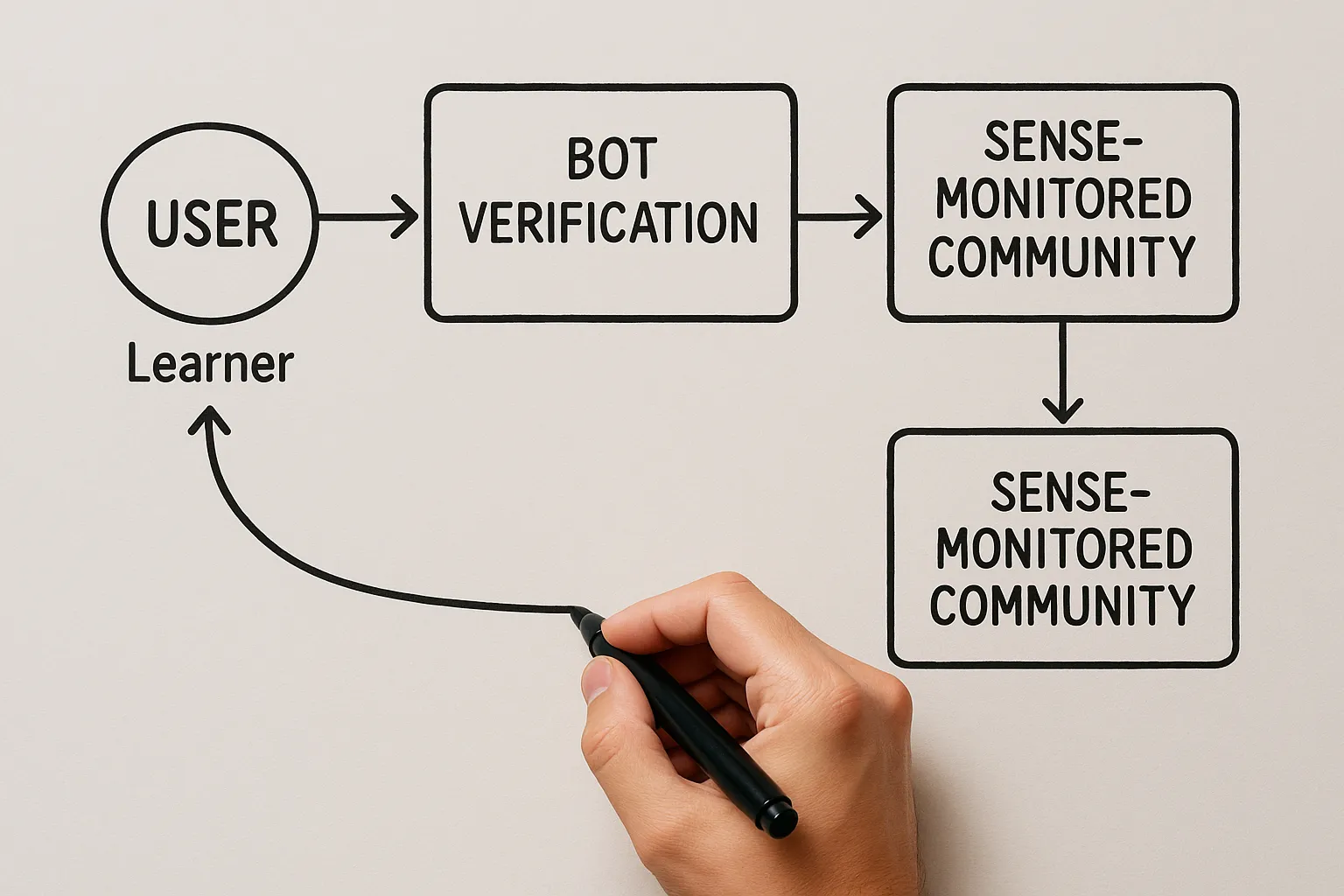
1. Bot Verification (aitoolshed.co) – Rapid Front-Door Defence
Most bot mitigation suites cater to enterprise SaaS budgets. Bot Verification offers a lean alternative focused on one job: confirm that each visitor is human before your course platform loads.
Key capabilities:
- Invisible challenges powered by live risk scoring instead of clunky image CAPTCHAs.
- Edge-level implementation via a JavaScript snippet—no LMS plugin required.
- Privacy-respectful: no cross-site tracking cookies.
Course creators typically place the script on the checkout page and student dashboard. This shuts out automation flood attacks that inflate hosting costs and skew analytics.
Pricing: public tiers undisclosed; early users report generous free allotment, then usage-based billing. Contact sales through the Bot Verification homepage.
Good fit for: Teachable, WooCommerce, Kajabi sites that experience sudden bursts of fake sign-ups.
Internal read: For a broader look at budget-friendly AI utilities, see our guide to the best free AI tools for small businesses in 2025.
2. Cloudflare Turnstile – Enterprise-Grade Human Verification
Turnstile replaces CAPTCHA forms with Cloudflare’s machine-learning risk engine trained on over 32 million Internet properties. It analyses device posture, interaction patterns and TLS fingerprints to silently confirm legitimacy.
Highlights:
- 100 percent visual-challenge-free for most users; fallback challenge is keyboard-friendly.
- One-click enablement for sites already proxied via Cloudflare. Non-Cloudflare setups can embed Turnstile with two lines of HTML.
- Free for up to 1 million monthly checks.
Limitations: Lacks built-in DRM or watermarking, so pair it with another tool on this list for content-level protection.
Sources: Cloudflare Security Week 2025 keynote.
3. PallyCon Multi-DRM & Forensic Watermarking
If your course features high-value video lessons (fitness routines, 3D software tutorials, trading strategies), Multi-DRM is the gold standard. PallyCon’s cloud service packages Google Widevine, Apple FairPlay and Microsoft PlayReady into a single API, then layers AI-embedded forensic watermarks that survive screen recording.
What makes it AI-driven?
- Unique watermark patterns are generated per stream in real time based on viewer location, device entropy and session risk.
- Automated crawler network scours public sites and Telegram channels to detect leaked copies and trace them to the original account.
Pricing: Starts at US $0.15 per 1000 playback minutes plus watermark credits.
Pros:
- Supports major LMS video players (Vimeo OTT, JW Player, Mux) via pre-built SDKs.
- Takedown assistant exports DMCA notices with fingerprint proof.
Cons: Requires intermediate dev skills for full automation; not ideal for text-only courses.
4. Auth0 Anomaly Detection – Account Sharing Control
Many instructors tolerate mild credential sharing in the early stages, but it quickly erodes revenue. Auth0, an Okta company, applies statistical and machine-learning techniques to identify suspicious logins based on geo-velocity, IP reputation and impossible travel.
How it works for courses:
- You migrate login to Auth0 (or federate with Google SSO, LinkedIn, etc.).
- Enable the Anomaly Detection toggle.
- When a single account logs in from London and Buenos Aires within minutes, Auth0 can trigger step-up MFA or lockout.
New in 2025: Passwordless passkeys cut friction for legitimate students while retaining device-bound security.
Cost: Included in Essentials tier (£20 per 1000 active users). Pay-as-you-go MFA.
5. Copyleaks AI-Watermark for Documents
PDF handouts and slide decks remain the most casual piracy victims because screenshots are effortless. Copyleaks, known for its AI plagiarism scanner, launched an AI-Watermark SDK in March 2025. It embeds imperceptible patterns across text and images, then uses a neural detector to locate the mark in redistributed copies—even after cropping or re-exporting.
Course creator workflow:
- Upload final PDF.
- API returns a watermarked variant unique to each enrolment ID.
- If the file leaks, upload the rogue copy to Copyleaks’ dashboard to reveal the source account.
Studies: Copyleaks white paper claims 97 percent detection accuracy on documents compressed up to 60 percent.
6. Sense – Behavioural Analytics for Community Platforms
Private Discord or Circle communities often see link sharing by non-paying users. Sense attaches to these platforms via bot tokens and monitors behavioural cues (time to first message, vocabulary analysis, simultaneous multi-device presence). A clustering model flags likely intruders and can auto-revoke roles.
Notable features:
- Integrates with payment events from Stripe or Paddle to cross-validate membership.
- Provides a trust score visible to moderators with recommended actions.
Pricing: Free up to 200 community members, then £12 per 1000.
7. Vimeo Review Tools – AI Content ID & Geo-Fence
Vimeo’s Pro and higher tiers now include AI Content ID (rolled out January 2025). It fingerprints every uploaded video and scans public web locations for duplicates, much like YouTube’s CMS—but with commercial use licences by default.
Coupled with region-level geo-fencing and domain-level embedding rules, you can ensure lessons load only inside your LMS origin.
Ideal for: Creators already hosting videos on Vimeo and wanting minimal extra tech.
Quick-Reference Comparison Table
| Tool | Primary Protection Layer | AI Component | Best Use Case | Starting Price |
|---|---|---|---|---|
| Bot Verification | Human verification at page load | Behavioural risk engine | Blocking bot sign-ups on Teachable checkout | Free tier, then usage-based |
| Cloudflare Turnstile | CAPTCHA replacement | Device posture ML | High-traffic marketing pages | Free for 1 M checks/mo |
| PallyCon Multi-DRM | Video DRM & watermark | Dynamic forensic pattern generation | Premium video courses | ≈ £0.12 per 1000 min |
| Auth0 Anomaly Detection | Account login | Geo-velocity modelling | Prevent credential sharing | £20 per 1 K MAU |
| Copyleaks AI-Watermark | Document fingerprint | Vision transformer detection | PDF slide packs | Pay-as-you-go credits |
| Sense | Community analytics | Behaviour clustering | Discord/Circle masterminds | Free ≤ 200 users |
| Vimeo AI Content ID | Web leak scanning | Perceptual hashing | Existing Vimeo Pro users | £16/mo (Pro) |
Implementation Blueprint for 2025 Course Launches
- Secure the front door. Add Bot Verification or Turnstile to registration, checkout and dashboard routes.
- Lock video lessons. Host via a DRM-ready provider (PallyCon, Vimeo AI) with dynamic watermarking enabled.
- Fingerprint downloadable assets. Apply Copyleaks AI-Watermark to PDFs, worksheets and audio files.
- Monitor identities continuously. Route authentication through Auth0 or a similar IdP with anomaly detection; enforce passkey sign-in for lower friction.
- Guard the community. Deploy Sense to oversee chat rooms or forums, ensuring only paying students access peer support.
- Automate takedowns. Leverage each provider’s crawler reports to issue DMCA notices promptly. Many platforms (PallyCon, Vimeo) provide auto-generated templates.
Time & Cost Snapshot
| Milestone | Typical Setup Time | Monthly Baseline Cost |
|---|---|---|
| Bot Verification script | 15 min | £0 on free tier |
| DRM player integration | 2 h | £30 (estimated 2000 playback min) |
| Copyleaks API hookup | 30 min | £8 (200 documents) |
| Auth0 migration | 4 h | £20 (1000 active users) |
| Sense community bot | 10 min | £0 (< 200 members) |
Total first-month cash outlay for a mid-sized cohort: ≈ £58—modest compared with the average £6000 piracy loss per 1000 learners (Rosen Digital 2024).
Balancing Security and Student Experience
Over-zealous defences can erode trust, spike refund requests and harm brand reputation. Here are proven tactics to keep satisfaction high:
- Use adaptive challenges. Invisible bot checks present MFA only when risk rises, so genuine users sail through.
- Explain transparently. A short note (“We watermark videos to protect creator livelihoods; your experience is unaffected”) pre-empts confusion.
- Offer device resets. Allow learners to manage their authorised devices from the profile page instead of emailing support.
- Monitor completion analytics. If dropout rates climb after introducing new checks, adjust thresholds or whitelists.
Future Trends to Watch (2025-2027)
- Self-healing DRM: Edge-based AI that rewrites key license parameters if tampering is detected mid-stream.
- Liveness detection with webcams: Optional facial liveness prompts before high-stakes assessments, already piloted by edX.
- On-chain course credentials: NFT-style tokens that carry ownership rights and access keys, preventing copy resale.
- Federated learning for piracy patterns: Providers pooling anonymised attack signals without sharing raw data, improving model accuracy across platforms.
Staying ahead means selecting vendors committed to continuous model retraining and transparent updates.

Key Takeaways for Course Creators
- Layered AI security—bot detection, DRM, watermarking, and anomaly analytics—offers the best defence against modern course piracy.
- The tools reviewed here can be integrated in under a day with minimal coding and start below £60 per month for a growing academy.
- Prioritise user experience by using friction-adaptive checks and communicating clearly about security measures.
Course piracy will never vanish entirely, but with the right AI stack you can make theft economically unattractive while giving genuine students a seamless learning journey.
Ready to fortify your academy? Start by adding a free Bot Verification check to your enrolment page, then expand with DRM and watermarking as your library grows. Protect your intellectual property—and your revenue—today.